On This Page
- Why Website Structure Planning Matters More Than Most Businesses Realise
- The Business Case for Planning Structure First
- What Is Information Architecture and Why Does It Matter?
- Common Architectural Models
- How to Define Your Goals and Audience Before Building
- Mapping User Journeys to Structure
- How to Run a Content Inventory for Your Website Structure
- Step 3 — Build Your Visual Sitemap
- Key Principles for an Effective Sitemap
- How to Design a Logical URL Structure and Hierarchy
- Which Navigation Pattern Is Right for Your Website Structure?
- Navigation Types That Support Good Website Structure
- How to Plan an Internal Linking Strategy
- Website Structure Models Compared: Hierarchical vs. Flat vs. Hub-and-Spoke
- What Are the Most Common Website Structure Mistakes?
- When Should You Restructure an Existing Website?
- Website Structure Is Strategy — Don't Treat It Like an Afterthought
Website structure planning is one of those topics that sounds straightforward until you actually sit down and try to do it properly. I've watched businesses spend months on visual design, agonise over colour palettes and hero images, then throw their sitemap together in an afternoon. The result? Pages buried three or four clicks deep. Duplicate content cannibalising their own rankings. Navigation that makes complete sense to internal teams but leaves customers entirely lost.
Here's the reality: your website's structure determines how easily Google can crawl and index your pages, how quickly visitors find what they need, and whether your site can grow without turning into an unmanageable mess. According to research from the Nielsen Norman Group, users spend an average of just a few seconds evaluating a website's navigation before deciding whether to stay or leave. That tiny window is shaped almost entirely by structure.
This guide walks through the full process of website structure planning — from the initial goal-setting and content inventory all the way through to URL hierarchy and internal linking. Whether you're building a new corporate website or restructuring one that's grown out of control, you'll have a clear, repeatable process by the end.
Why Website Structure Planning Matters More Than Most Businesses Realise
Think of website structure as the skeleton of your online presence. You can invest heavily in visual design and high-quality copy, but if the bones are wrong, nothing else performs the way it should.
From an SEO perspective, site architecture directly determines how search engines discover and prioritise your content. Google's crawlers follow links from page to page. If a page sits four or five levels deep with no internal links pointing to it, crawlers might never find it — or might assign it minimal authority even if they do. Pages higher in the hierarchy tend to accumulate more link equity and rank for more competitive terms. As Google's developer documentation on site structure confirms, a logical hierarchy makes crawling and indexing significantly more efficient.
But the SEO argument is only half the story. Structure shapes user behaviour in ways that show up immediately in your analytics. According to the 2024 Web Almanac, 51% of mobile pages have navigational issues that directly increase bounce rates. A well-organised site reduces bounce rates because visitors can orient themselves quickly. It increases pages per session because the path to related content is obvious. And it boosts conversion rates because users aren't burning mental energy trying to figure out where to go next — which directly ties into conversion optimization best practices.
The Business Case for Planning Structure First
There's a practical business angle too. Companies that invest in website structure planning before building save significant time and money during development. A Forrester study found that poor information architecture accounts for up to 50% of potential sales lost on e-commerce sites — purely because users can't find products. Retrofitting a chaotic information architecture after launch is expensive — it means redirecting URLs, rebuilding navigation components, updating internal links across dozens or hundreds of pages, and risking temporary SEO drops during the transition. Getting it right the first time isn't perfectionism. It's just good economics.
The bottom line: structure isn't a technical detail you delegate to a developer at the last minute. It's a strategic decision that touches SEO, UX, content strategy, and your long-term ability to scale. If you're investing in a corporate website, the structure conversation should happen before anyone opens a design tool. Understanding the full website development timeline helps teams allocate adequate time for structural planning rather than rushing through it.

What Is Information Architecture and Why Does It Matter?
Information architecture (IA) is the discipline of organising, labelling, and structuring content so that people can find what they need and complete tasks efficiently. It's broader than just navigation menus — IA encompasses everything from how you categorise services to how you name individual pages and where you place calls to action. Effective website structure planning always begins with solid IA foundations.
Good IA answers three questions for every visitor:
- Where am I? — The user understands their current location within the site.
- What can I find here? — The content on the current page matches their expectations.
- Where can I go next? — The path to related or deeper content is immediately visible.
When these three questions go unanswered, users bounce. It's that simple.
Common Architectural Models
There are several common architectural models. The hierarchical model (also called a tree structure) is the most widely used for business websites. You start with a homepage, branch into primary categories, then drill into subcategories and individual pages. It works because it mirrors how most people think about information — broad to specific.
The flat model keeps most pages within one or two clicks of the homepage. It works well for smaller sites with fewer than 20 pages, but it doesn't scale. The hub-and-spoke model organises content around central topic hubs, with supporting pages radiating outward — this is increasingly popular for content-heavy sites because it aligns naturally with topic cluster SEO strategies.
For most business websites, a hybrid approach works best: a hierarchical core structure for your main pages (services, about, contact) combined with hub-and-spoke clusters for blog content and resources. This is the approach we recommend in our web portal architecture guide. The goal is always the same — every important page should be reachable in three clicks or fewer.
How to Define Your Goals and Audience Before Building
Before sketching a single box on a sitemap, you need to answer two fundamental questions: what does the business need this website to accomplish, and who is going to use it?
This is a step that sounds obvious but gets skipped more often than you'd expect. Teams jump straight into page lists without first aligning on whether the site's primary job is lead generation, e-commerce sales, customer support, or brand awareness. Each of these goals produces a radically different website structure.
A lead-generation site for a B2B services company might have five or six carefully crafted service pages, a portfolio section, a pricing page, and a contact form that's accessible from every page. An e-commerce site needs product category pages, filtering systems, and a checkout flow that minimises friction. A customer support portal prioritises searchability and knowledge-base navigation. The structure follows the goal.
Mapping User Journeys to Structure
On the audience side, the question isn't just demographics — it's intent. What are the three or four main reasons someone visits your site? Map those reasons to specific user journeys:
- A potential customer researching your services might follow: Homepage → Services Overview → Specific Service → Portfolio Example → Contact.
- A returning client might go directly to: Login → Dashboard → Support.
- A job candidate might navigate: Homepage → About → Careers → Application.
Each journey needs a clear, friction-free path through your structure. If you force all three audiences through the same narrow funnel, you'll lose at least two of them. Document these journeys before you build anything — they'll become the backbone of your sitemap.
One technique that works well here is card sorting. Write each potential page or content piece on a card, then ask five to ten people from your target audience to group them into categories that make sense. The patterns that emerge are often very different from what internal teams assume, and they'll save you from building a structure that only makes sense to people who already work at your company.
If you're starting a new project, having a clear website design brief in place before building your sitemap will accelerate every step of this process — the brief forces the internal alignment that makes website structure planning decisions far easier.
How to Run a Content Inventory for Your Website Structure
Running a content inventory is a critical step in any website structure planning process — especially for redesigns. Start with a spreadsheet listing every page on your current site, along with its URL, title, content type, traffic data, and whether it's worth keeping, merging, or deleting. Research by Content Science suggests that the average corporate site has 40% outdated or redundant content that actively dilutes rankings and confuses visitors.
This step prevents two expensive problems. First, it stops you from orphaning pages that still drive traffic or conversions. Second, it exposes redundancies — you might discover three pages about the same topic, each cannibalising the others in search results. Our website audit guide covers the full audit methodology.
For each page, ask:
- Does it get traffic? Check Google Analytics or Search Console. If a page hasn't received a visit in six months, question whether it should exist.
- Does it serve a user journey? If it doesn't map to the journeys from Step 1, it's structural dead weight.
- Is the content still accurate? Outdated information damages trust.
- Can it be merged? Two thin pages on related topics almost always perform better as one comprehensive page.
If you're building a new site, list every intended page, assign each to a user journey and hierarchy position, and confirm you can produce the content for it. Empty placeholder pages are worse than no pages at all.
Content Inventory Pro Tip
Export your existing sitemap using a tool like Screaming Frog or Sitebulb, then colour-code pages by status — keep (green), merge (yellow), delete (red). It makes the decision-making process visual and far less overwhelming.
Step 3 — Build Your Visual Sitemap
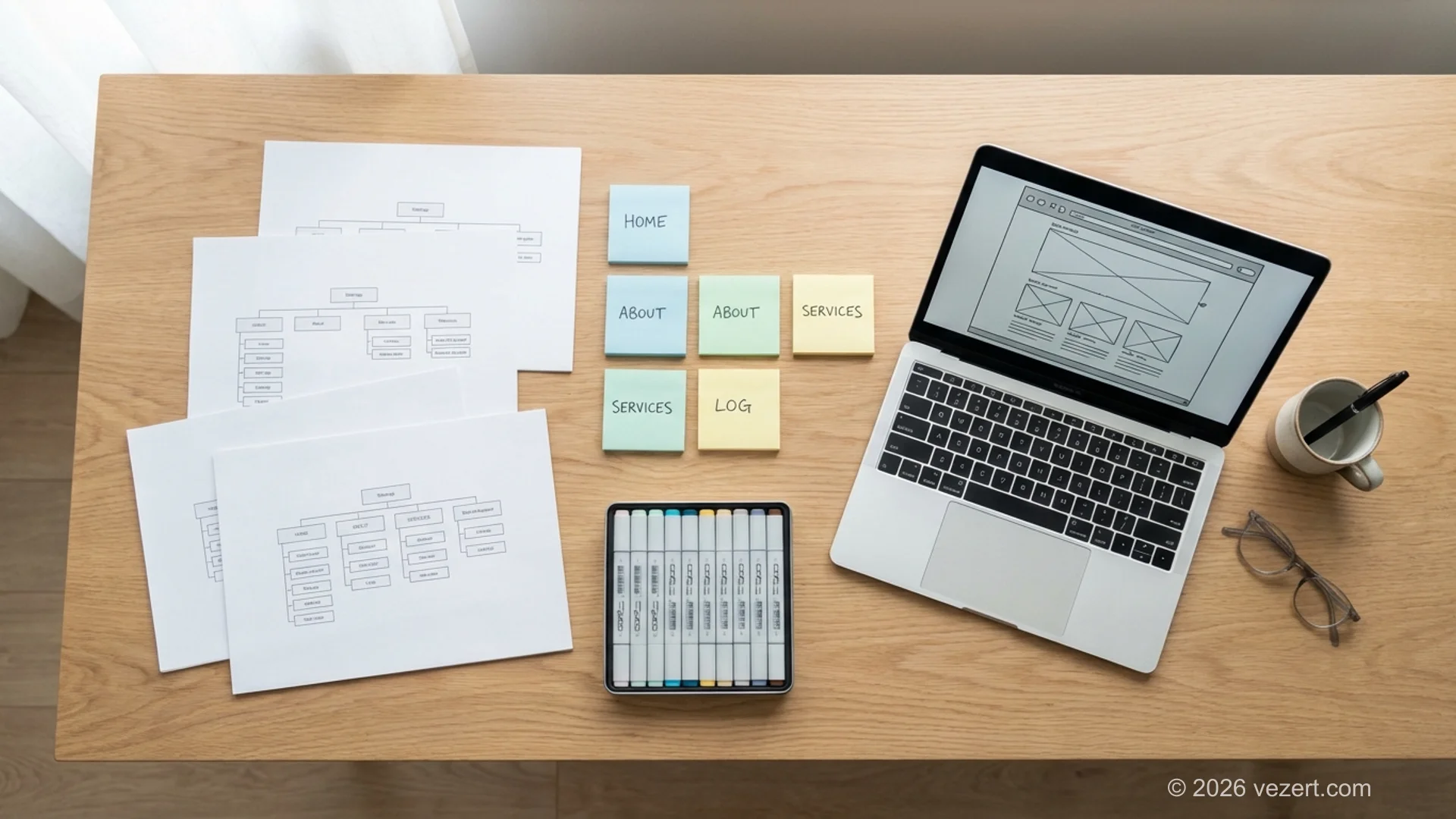
With your goals defined, user journeys mapped, and content inventoried, you're ready to build a visual sitemap — this is where abstract website structure planning becomes concrete.
A visual sitemap diagrams every page on your site and how they connect through navigation and links. Unlike an XML sitemap (which is machine-readable), a visual sitemap is a planning tool for humans. It gives you a bird's-eye view of the entire site so you can spot problems before they're built into production code.
Start with your homepage at the top, then place your primary navigation categories — the pages that will appear in your main menu. For a typical corporate website, this might look like:
- Home
- Services (with sub-pages for each service)
- Portfolio / Case Studies
- About
- Blog / Resources
- Contact
- Pricing
Under each primary category, add the second-level pages. Under Services, for instance, you might have Landing Pages, Corporate Websites, Web Portals, and UX/UI Design. Under About, you might have Team, Our Process, and Testimonials.
Key Principles for an Effective Sitemap
A few principles to follow when building your visual sitemap:
Keep it shallow. Aim for a maximum depth of three levels. If you find yourself creating a fourth level, reconsider whether that content belongs somewhere else or whether two levels can be merged.
Balance the branches. If your Services section has twelve sub-pages but your About section has one, the tree is lopsided. That doesn't mean every branch needs the same number of pages, but extreme imbalance usually signals that your categories need rethinking.
Plan for growth. Your structure should accommodate new content without requiring a reorganisation. If you know you'll be adding services or product lines in the next year, build the categories now even if some are initially sparse.
Tools like Slickplan, Miro, or even a simple FigJam board work well for this. The format doesn't matter — what matters is that the entire team can see the full site at once and agree on the architecture before development starts.
Website Structure Planning Checklist
Before moving to URL design, confirm: (1) every page maps to a user journey, (2) no important page is deeper than three clicks from the homepage, (3) primary navigation has no more than seven items, and (4) you've accounted for future content growth. If any of these fail, revise the sitemap first.
How to Design a Logical URL Structure and Hierarchy
Your URL structure should mirror your sitemap hierarchy — and this has measurable SEO consequences. Clean, descriptive URLs help search engines understand the relationship between pages and help users know where they are in your site. According to Google's URL structure guidelines, simple, descriptive URLs are strongly preferred. In practice, sites with clean hierarchical URL structures see up to 30% better crawl efficiency compared to those with dynamic, parameter-heavy URLs (based on Screaming Frog internal benchmarks).
A good URL hierarchy for a services page might look like:
yoursite.com/services/— services overviewyoursite.com/services/web-design/— specific serviceyoursite.com/portfolio/case-study-name/— related case study
Here's what to avoid:
Don't use IDs or cryptic strings. URLs like /page?id=4827 tell neither users nor search engines anything useful.
Don't duplicate hierarchy in slugs. If your URL already contains /services/, don't name the page landing-pages-service-details. The hierarchy provides context — the slug should be short and specific.
Keep slugs consistent. Pick a convention — hyphens between words, all lowercase, no trailing slashes (or always trailing slashes) — and stick to it across the entire site. Inconsistency creates duplicate content issues and confuses crawlers.
Use keywords naturally. Your URL slug is a minor ranking signal, but it adds up across hundreds of pages. Use your primary keyword for each page as the slug, as long as it reads naturally.
One thing I always recommend: map your URL structure in a spreadsheet alongside your sitemap. For each page, list the full URL path, the H1, and the primary keyword. This document becomes your single source of truth during development and prevents the kind of last-minute URL changes that create redirect chains.

Need Help With Website Structure Planning?
We've structured sites for SaaS companies, professional services firms, and growing e-commerce brands. If you'd rather get it right the first time than patch it later, let's talk.
Get a Free ConsultationHow to Plan an Internal Linking Strategy
Internal links are the connective tissue of your website structure. They do three things simultaneously: help users discover related content, distribute link equity (ranking power) across your pages, and tell search engines which pages are most important.
A common planning failure is treating internal linking as an afterthought — something writers sprinkle in randomly after content is written. That approach misses the point. Internal linking should be planned alongside your structure, not bolted on later. The impact of website architecture on search visibility is well-documented — and internal linking is a major part of that equation.
Here's a framework that works:
Navigational links come from your menus, header, and footer. These are the most powerful internal links because they appear on every page. Use them to point to your highest-priority pages — typically your core service pages and key conversion pages.
Contextual links sit within the body content of your pages. These are the links within blog posts, service descriptions, and case studies that point to related pages. They're powerful because they carry topical relevance — a link from a blog post about website structure to your UX/UI design services tells Google those topics are related.
Hub links connect a pillar page to its supporting cluster content and vice versa. If you have a main services page that links down to individual service pages, and those pages link back up to the main page, you've created a hub structure that concentrates authority.
A practical tip: create a linking matrix. In a spreadsheet, list your key pages in both rows and columns, then mark which pages should link to which. This prevents orphan pages and ensures your most important pages receive the most internal link support.
For blog content specifically, every new article should include at least two to three links to relevant service pages or related articles. When you publish new content, go back and add links from existing articles on related topics. This retroactive linking is one of the simplest and most overlooked SEO tactics.
Website Structure Models Compared: Hierarchical vs. Flat vs. Hub-and-Spoke
Choosing the right structural model is one of the most consequential decisions in website structure planning. Each model has distinct trade-offs depending on your site size, content volume, and growth trajectory. The table below summarises key differences to help you pick the right foundation.
Recommended Approach
For most business websites, use a hybrid model: hierarchical structure for core pages (services, about, contact, pricing) combined with hub-and-spoke clusters for blog and resource content. This gives you the clear navigation of a tree structure with the SEO topical authority of hub-and-spoke clusters.
What Are the Most Common Website Structure Mistakes?
After reviewing hundreds of business websites, the same website structure planning problems surface repeatedly. Here are the seven that cause the most damage to rankings and conversions:
1. Burying important pages too deep. If your highest-value service page requires four clicks to reach from the homepage, it's practically invisible — both to users and to Google's crawlers. Flatten your hierarchy so that revenue-generating pages sit within two clicks.
2. Organising by internal departments, not user needs. Your org chart is not your sitemap. Visitors don't care whether 'Support' and 'Billing' are separate departments. They care about solving a problem. Structure around user tasks and questions, not internal silos.
3. Creating orphan pages. An orphan page has no internal links pointing to it. Search engines can still find it through an XML sitemap, but it receives zero link equity and often ranks poorly. Audit regularly for orphans using tools like Screaming Frog.
4. Keyword cannibalisation through duplicate structure. Two pages targeting the same keyword — say, a services page and a blog post both targeting 'website design' — will compete against each other in search results. Consolidate or clearly differentiate the intent of each page.
5. Mega menus with too many options. Navigation that exposes 50 links at once creates analysis paralysis. If users can't find what they need within a few seconds of scanning, they'll leave. Cap your primary navigation at seven items and use subcategories judiciously.
6. Ignoring mobile navigation. A structure that works on desktop doesn't automatically work on mobile. Hamburger menus need to be shallow and scannable. Test your navigation on actual mobile devices — not just browser resizers — before launch. Poor mobile structure is one of the UX mistakes that hurt conversions most severely.
7. No plan for content growth. If adding a new blog category or service page requires restructuring your navigation, your architecture was too rigid from the start. Build in flexibility from day one. Categories should be broad enough to accommodate new content without breaking the hierarchy.
When Should You Restructure an Existing Website?
Not every site needs to be rebuilt from scratch — but there are clear signals that your current structure has become a liability. Recognising them early prevents costly emergency redesigns later:
- Declining organic traffic despite consistent content production. If Google is crawling your site but not ranking your pages, a structural problem is often the culprit.
- High bounce rates on key pages. When users land on a service page and immediately leave, it's frequently because the navigation didn't meet their expectations or the page didn't match the promise of the link they clicked.
- Internal search usage is disproportionately high. If a large percentage of visitors resort to your search bar, your navigation isn't doing its job.
- Content is scattered across inconsistent categories. This usually happens after years of organic growth without website structure planning. Blog posts end up in multiple categories. Services get split across several sections. The taxonomy becomes incoherent.
- Your business model has changed. Maybe you've added new service lines, entered new markets, or shifted from B2C to B2B. If your site structure still reflects who you were two years ago, it's actively working against who you are now.
When you do restructure, plan your redirects meticulously. Every old URL that changes needs a 301 redirect to its new location. Miss a few, and you'll lose whatever search authority those pages had built up. A redirect mapping document — old URL to new URL for every affected page — is non-negotiable. Our website redesign preparation guide includes a complete redirect planning checklist.
If the restructuring is substantial, consider a phased rollout rather than a single big-bang migration. Restructure one section at a time, monitor the impact on rankings and traffic, then move to the next section. It's slower but far less risky.
Restructuring vs. Redesigning
Restructuring changes how your content is organised and connected — the hierarchy, URLs, and navigation. Redesigning changes how it looks. You can restructure without redesigning, and often should. A structural overhaul paired with a visual redesign multiplies the risk of something going wrong. If your design is fine but your structure isn't, fix the structure first. For businesses undertaking a full rebuild, our corporate website development guide covers how to approach architecture decisions alongside the broader development strategy.
Struggling With a Tangled Website Structure?
Whether you need a fresh structure from scratch or a careful restructuring of an existing site, our team has helped dozens of businesses get their architecture right. Don't let poor structure hold back your rankings and conversions.
View Our PortfolioWebsite Structure Is Strategy — Don't Treat It Like an Afterthought
Website structure planning isn't glamorous. It doesn't produce the kind of before-and-after screenshots that make stakeholders nod approvingly in a meeting. But it's the single most impactful decision you'll make in any web project, because every other decision — design, content, SEO, performance — either builds on it or is constrained by it.
The process is straightforward: define what the site needs to achieve, understand how users think about your content, build a visual sitemap that keeps things shallow and balanced, design clean URLs that mirror the hierarchy, choose navigation patterns that reduce friction, and wire the whole thing together with deliberate internal links.
Skip any of those steps and you're building on sand. Do them properly and you'll have a site that ranks better, converts more visitors, and grows without collapsing under its own weight.
If you're planning a new site or realising that your current structure needs serious work, we can help. At Vezert, structure is where every project starts — not an afterthought before launch. Explore our services or get in touch to talk through your project.
On This Page
- Why Website Structure Planning Matters More Than Most Businesses Realise
- The Business Case for Planning Structure First
- What Is Information Architecture and Why Does It Matter?
- Common Architectural Models
- How to Define Your Goals and Audience Before Building
- Mapping User Journeys to Structure
- How to Run a Content Inventory for Your Website Structure
- Step 3 — Build Your Visual Sitemap
- Key Principles for an Effective Sitemap
- How to Design a Logical URL Structure and Hierarchy
- Which Navigation Pattern Is Right for Your Website Structure?
- Navigation Types That Support Good Website Structure
- How to Plan an Internal Linking Strategy
- Website Structure Models Compared: Hierarchical vs. Flat vs. Hub-and-Spoke
- What Are the Most Common Website Structure Mistakes?
- When Should You Restructure an Existing Website?
- Website Structure Is Strategy — Don't Treat It Like an Afterthought