On This Page
- Why a Website Design Brief Decides the Outcome
- Section 1: Business Context and Project Background
- Section 2: Project Goals and Measurable KPIs
- Section 3: Target Audience and User Personas
- Section 4: Scope, Sitemap, and Feature Requirements
- Section 5: Design Direction and Brand Guidelines
- Section 6: Content Strategy and Copywriting Needs
- Section 7: Technical Requirements and Integrations
- Section 8: Budget, Timeline, and Decision-Making
- What Goes in a Website Brief Template
- How a Brief Differs From an RFP and a Requirements Document
- What Makes a Website Brief Fail
- Your Brief Is the Blueprint, Make It Count
A website design brief is the single most underrated document in any web project. I've seen it firsthand, companies spend weeks evaluating agencies, negotiating contracts, and debating colour palettes, but they hand over a half-page email as their "brief" and wonder why the final product misses the mark. Over 30% of large-scale digital projects run over budget or behind schedule, and poor scoping is almost always a contributing factor.
Here's the thing: your brief isn't just a formality. It's the foundation that every design decision, development sprint, and content strategy rests on. A thorough website design brief aligns your team, gives your agency the context they need to do great work, and protects you from scope creep that bleeds your budget dry. Whether you're commissioning a corporate website or a high-converting landing page, the quality of the outcome is directly tied to the quality of the brief that started it.
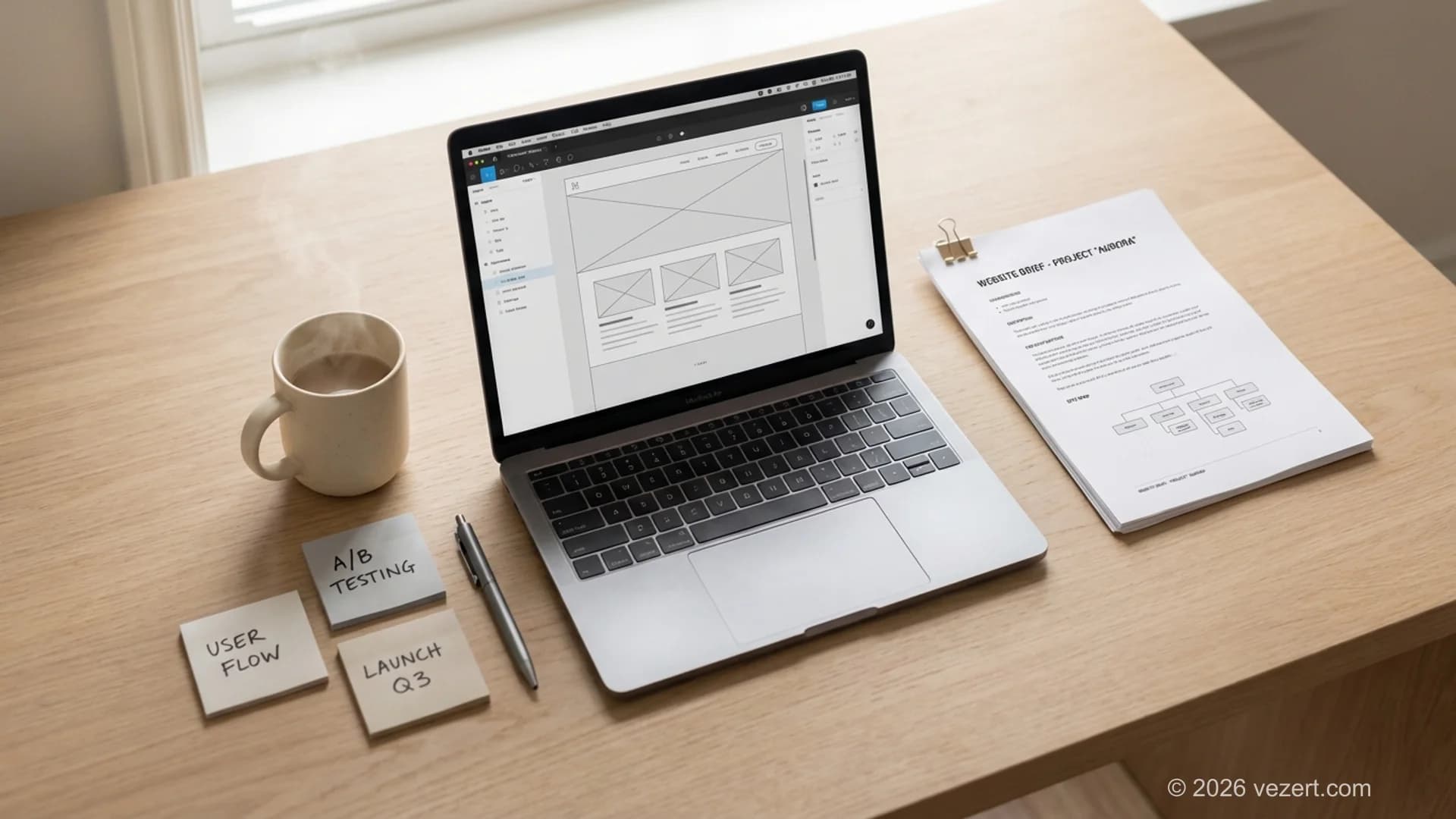
This guide walks through every section your brief needs, hands you a website brief template you can copy, shows a filled web design brief example, and explains when a separate requirements document earns its place alongside the brief.
Why a Website Design Brief Decides the Outcome
Think of a website design brief as the architectural blueprint for a building. You wouldn't let a construction crew start pouring concrete based on a verbal description, right? The same logic applies to web design. Without a written brief, you're relying on assumptions, and assumptions are where projects go sideways.
A solid brief does three things. First, it forces you to think through what you actually need before money changes hands. You'd be surprised how many businesses start a redesign without agreeing internally on the site's primary purpose. Second, it gives your design agency a single source of truth. When a question comes up during the project, and dozens will, the brief is the document everyone references. Third, it creates accountability. If the delivered work doesn't match the brief, you have a concrete basis for feedback rather than a subjective argument about taste.
Research consistently shows that projects with well-defined requirements are significantly more likely to finish on time and within budget. The brief is your insurance policy against the two things that kill web projects: miscommunication and scope creep.

Section 1: Business Context and Project Background
Every brief should open with context. Your agency needs to understand who you are, what you sell, and where you sit in your market before they can design anything meaningful. Don't assume they'll research this on their own, give them a head start with the information that matters most.
Company Overview
Include a concise description of your business: what you do, who you serve, and how long you've been operating. If you've gone through a recent rebrand, merger, or strategic pivot, mention it. These details shape design decisions more than most people realize. A 50-year-old manufacturing company and a two-year-old SaaS startup need fundamentally different web experiences, even if both want to "generate more leads."
Current Website Assessment
Be honest about what's working and what isn't on your current site. Point out specific pain points: slow load times, outdated content, poor mobile experience, low conversion rates. If you have analytics data, bounce rates, average session duration, conversion funnels, include it. This gives your agency a baseline to improve upon rather than starting from guesswork.
Competitors
List three to five competitors and note what their websites do well or poorly. This isn't about copying anyone, it's about showing your agency the standard your audience is accustomed to. If every competitor in your space uses sleek, minimal design and your site looks like it was built in 2015, that's useful context. Similarly, if you want to deliberately stand apart from the competition, explain how.
Section 2: Project Goals and Measurable KPIs
"We want a modern-looking website" is not a goal. Goals need to be specific, measurable, and tied to business outcomes. This section is where most weak briefs fall apart, they describe what the site should look like instead of what it should achieve.
Primary and Secondary Objectives
Start with your primary objective. Is the website meant to generate leads? Drive product sales? Recruit talent? Establish thought leadership? Pick one primary goal and, if needed, two or three secondary objectives. A website that tries to do everything equally well usually does nothing particularly well.
Good examples of primary objectives:
- Increase demo requests by 40% within six months of launch
- Reduce customer support calls by providing a self-service knowledge base
- Position the company as a market leader in enterprise logistics software
Success Metrics
Attach numbers to your goals. What KPIs will you track to determine whether the new site is performing? Conversion rate, bounce rate, average time on page, form completions, qualified lead volume, these are the metrics that turn a vague ambition into a measurable target. Your agency can then design with those metrics in mind, not just aesthetics. Research from the Nielsen Norman Group confirms that goal-driven design processes consistently outperform projects that start with visual preferences alone.
Section 3: Target Audience and User Personas
Your website isn't for you, it's for your customers. Every design decision, from navigation labels to imagery style, should be filtered through the lens of who'll actually use the site. A brief that skips this section forces the agency to guess, and guessing is expensive.
Defining User Personas
Describe your two or three most important audience segments. For each, include demographics (age range, job title, industry), their primary pain points, what they're looking for when they visit your site, and what action you want them to take. If you've done formal persona research, share it. If you haven't, even a paragraph per segment is better than nothing.
For instance, a B2B software company might define personas like:
- IT Director (Decision Maker): Cares about security, integrations, and total cost of ownership. Visits the site to evaluate technical capabilities and request a demo.
- Marketing Manager (Influencer): Interested in ease of use and reporting features. Likely to download a case study or watch a product video before recommending the tool internally.
User Journeys and Entry Points
Consider how different users arrive at your site. Some will land on the homepage from a Google search. Others might click a specific landing page from a paid ad or arrive via a blog post shared on LinkedIn. Mapping these entry points helps your agency design appropriate pathways for each audience segment rather than funnelling everyone through the same generic flow.
Pro Tip: Don't Over-Engineer Your Personas
You don't need a 20-page persona document to write an effective brief. Two or three well-defined audience profiles, each with a name, a job title, a pain point, and a goal, will give your design team everything they need to make smart UX decisions. Perfection is the enemy of a shipped project.
Section 4: Scope, Sitemap, and Feature Requirements
This is where the brief gets concrete. You need to define what the website actually includes, how many pages, what functionality, and what the basic structure looks like. Skipping this section is the number one cause of scope creep.
Page List and Sitemap
Draft a preliminary list of every page you expect the site to have. Group them logically: Home, About, Services (with sub-pages), Portfolio, Blog, Contact. You don't need a finished sitemap, a simple hierarchy written as a bulleted list works fine at this stage. Your agency will refine it during the discovery phase, but giving them a starting point speeds things up significantly.
A typical corporate site might include 15 to 30 pages. If you're planning something larger, say, a web portal with user accounts and dashboards, flag that clearly, because the development effort is a different order of magnitude.
Must-Have Features
List every feature the site needs to have at launch. Be specific. "Contact form" is too vague, does it need conditional logic, file uploads, CRM integration? Here are common features to consider:
- Contact and enquiry forms
- Blog or news section with categories and search
- Multi-language support
- E-commerce functionality (product pages, cart, checkout)
- User authentication and account areas
- Interactive tools (calculators, configurators, booking systems)
- Accessibility compliance (WCAG 2.1 AA)
Nice-to-Have Features
Separate your must-haves from your nice-to-haves. This gives the agency room to prioritise if the budget gets tight, and it prevents important features from being deprioritised because a chatbot widget ate the remaining hours.

Section 5: Design Direction and Brand Guidelines
Designers aren't mind readers. If you have preferences, or constraints, around visual style, this is the place to spell them out. But there's a balance to strike: give enough direction to be useful without micromanaging the creative process.
Brand Assets and Guidelines
If you have existing brand guidelines, attach them. This includes your logo files (in vector format, ideally), colour palette with exact hex codes, typography specifications, and any rules about logo placement or spacing. If you don't have formal guidelines, say so, that's valuable information too, because the agency may need to develop a basic brand system before designing the site.
Visual References and Moodboards
Share three to five websites you admire, and explain specifically what you like about each one. "I like Apple's website" tells your designer almost nothing. "I like how Apple uses generous white space to let each product breathe, and the way their hero sections combine short punchy headlines with large product imagery" - that's actionable.
Include examples of what you don't like, too. Anti-references can be just as helpful. If you despise carousel sliders or can't stand dark-themed sites, it's better to say so upfront than after three rounds of revisions.
Photography and Imagery Direction
Note whether you have an existing image library, plan to commission bespoke photography, or need to rely on stock images. If you're open to illustrated graphics or custom iconography, mention it. The imagery direction affects cost, timeline, and the overall feel of the final design.
Section 6: Content Strategy and Copywriting Needs
Content and design are inseparable. The best-designed website in the world won't convert if the copy is weak, outdated, or missing entirely. Your brief should clarify the content situation so your agency can plan accordingly.
Existing Content Audit
Do you have content that can be migrated to the new site, or does everything need to be written from scratch? If you're migrating, are you happy with the current copy, or does it need rewriting? Give an honest assessment. A lot of project delays happen because content was supposed to be "ready" but arrived late, incomplete, or in the wrong format.
Tone of Voice
Describe how your brand communicates. Formal or conversational? Technical or accessible? Authoritative or friendly? If you have a brand voice guide, include it. If not, share two or three pieces of existing content, a brochure, an email campaign, a social media post, that represent the tone you're aiming for.
SEO and Keyword Strategy
If you've done keyword research, share it. If not, at least list the topics and phrases your target audience is likely to search for. This helps the agency plan the site architecture around search intent, ensuring pages are structured to rank for the terms that matter to your business. According to Google's own search documentation, page organisation and descriptive URLs are foundational, and both are decided at sitemap stage. Good SEO starts with the sitemap, not after the site launches.
Need Help Defining Your Project?
Not sure where to start with your brief? We offer a free discovery call to help you clarify goals, scope, and budget before a single pixel gets designed.
Book a Free Discovery CallSection 7: Technical Requirements and Integrations
Even if you're not technical, you need to cover this section. Skipping it almost always leads to surprise costs later when the agency discovers halfway through the build that you need CRM integration or a specific hosting setup.
Platform and Technology Preferences
Do you have a preferred CMS (WordPress, headless CMS, custom solution)? Are there technical constraints from your IT team? If you don't have a preference, say that too, a good agency will recommend the right stack based on your requirements. At Vezert, we often steer clients toward modern frameworks like Next.js combined with headless CMS solutions, but the right choice always depends on the specific project.
Third-Party Integrations
List every system the website needs to connect to: CRM (HubSpot, Salesforce), email marketing (Mailchimp, ActiveCampaign), analytics (Google Analytics 4, Hotjar), payment gateways, ERP systems, booking tools, and anything else. Each integration adds complexity and cost, so it's better to surface these requirements early.
Hosting and Performance
Mention any hosting preferences or requirements. If you're in a regulated industry, there might be data residency constraints. If performance is critical, and it should be, since Google uses page speed as a ranking factor, note your expectations. Google's Core Web Vitals thresholds are a reasonable standard to reference: largest contentful paint under 2.5 seconds, interaction to next paint under 200 milliseconds.
Accessibility Standards
Specify the level of accessibility compliance you require. WCAG 2.1 AA is the most common standard for commercial websites and is increasingly a legal requirement in many jurisdictions. If your audience includes government or public sector organisations, this is non-negotiable.
Section 8: Budget, Timeline, and Decision-Making
I know sharing your budget feels uncomfortable. Most clients worry that if they reveal their number, the agency will simply spend all of it. But here's the reality: withholding your budget wastes everyone's time. If you've got $15,000 and the agency's minimum for your scope is $40,000, it's better to know that in the first conversation than after two weeks of proposals.
Budget Range
You don't need to give a precise figure. A realistic range is enough, for example, $20,000–$30,000. This allows the agency to tailor their proposal to your constraints, suggest where to invest and where to save, and flag anything in your requirements list that doesn't fit the budget. Transparency here builds trust and leads to better proposals.
Timeline and Key Dates
State your ideal launch date and explain whether it's a hard deadline (tied to a product launch, regulatory requirement, or event) or a soft target. Mention any interim milestones: "We need the homepage design signed off by April 15" or "Beta launch must happen before the trade show in September." Realistic timelines typically range from 10 to 16 weeks for a full corporate website, though complexity and content readiness can stretch this.
Decision-Making Process
Clarify who has sign-off authority. Is it one person, or does a committee need to approve each phase? How many rounds of revisions do you expect? Who handles feedback consolidation? Projects stall when six people send contradictory feedback to the agency. Naming a single point of contact for approvals is one of the simplest things you can do to keep a project on track.
The Budget Transparency Test
If an agency dismisses you for sharing a budget range, they're not the right partner. Good agencies use your budget to design the best possible solution within your means. The ones worth hiring will tell you honestly what's achievable and where to make trade-offs, and that conversation is only possible when they know the numbers.

What Goes in a Website Brief Template
A website brief template is a fixed set of headings you fill in before you contact an agency. The eight sections above explain the reasoning; this is the same structure compressed into something you can paste into a document and finish in an afternoon. Aim for four to eight pages, because longer briefs tend to go unread and the skipped sections are usually the ones that mattered.
Copy the outline below and answer every line. If a line does not apply, write "not applicable" instead of deleting it, so your agency knows you considered it and made a call.
- Company and context. Two paragraphs: what you sell, who buys it, what changed recently.
- Current site. URL, platform, what works, what does not, and three numbers from analytics.
- Goals. One primary objective with a number attached, plus two secondary objectives.
- Audience. Two or three segments, each with a job title, a pain point, and the action you want them to take.
- Scope. Page list, must-have features, and nice-to-have features, kept in separate lists.
- Design. Brand assets, three reference sites with a sentence explaining each, three anti-references.
- Content. What exists, what needs writing, who writes it, and when it arrives.
- Technical. Platform preference, integrations, hosting constraints, accessibility level.
- Budget and timeline. A range, a target launch date, and the name of the person who signs off.
A Web Design Brief Example, Filled In
Templates stay abstract until someone completes one. Here is what section 3 looks like when a logistics software company answers it properly:
Primary goal: raise qualified demo requests from 18 to 45 per month within six months of launch. Secondary: cut support email volume by publishing a self-service documentation hub. Secondary: reach the top 10 for "freight tracking software" in the UK market.
Three sentences, every one of them measurable. The same section in a weak brief reads "we want more leads and a more modern look", which gives a designer nothing to aim at and leaves you nothing to hold them to six months later.
How a Brief Differs From an RFP and a Requirements Document
Three documents get confused constantly, and the confusion is expensive. A website design brief defines the project: goals, audience, scope, and creative direction. A website requirements document lists what the system must do, written as statements a tester can pass or fail. A Request for Proposal is a procurement wrapper that asks several agencies to bid on the same defined thing.
You need the brief in every case. You need a requirements document when there is real functionality behind the pages: user accounts, a booking engine, an ERP sync, role-based dashboards. You need an RFP only when you are running a competitive process and want bids you can compare side by side.
When a Requirements Document Earns Its Place
If the project is a 20 page marketing site, the scope section of your brief covers it. If it is a portal where three user roles each see a different dashboard, write the requirements separately and number them. Every line should be verifiable, along the lines of "a logged-in reseller can download invoices from the last 24 months as a PDF". Requirements phrased as adjectives rather than actions are the reason fixed-price builds turn into change requests.
Agencies read the two documents differently. The brief tells us what to design. The requirements document tells us what to estimate. Hand over only a brief on a complex build and every quote you receive will carry a contingency margin, because the agency is pricing uncertainty alongside the work.
Do You Need All Three?
Most mid-sized projects need a brief and nothing else. Add the requirements document once the functionality list runs past a dozen items. Add the RFP when procurement rules or the size of the budget require competing bids on record.
What Makes a Website Brief Fail
After reviewing hundreds of briefs over the years, certain patterns keep showing up. Avoiding these common mistakes can save you weeks of delays and thousands in wasted budget.
Being Too Vague
"We want something modern and clean" appears in roughly 90% of briefs I've read. It means nothing without specifics. Modern compared to what? Clean by whose standards? If you find yourself writing generic adjectives, replace them with concrete references. Link to a website you think nails the look. Describe a specific interaction you want users to have. The more tangible your brief, the closer the first draft will be to what you actually want.
Being Too Prescriptive
The opposite problem is equally dangerous. If your brief dictates exact pixel positions, specific animations, and a rigid layout for every page, you're not writing a brief, you're doing the designer's job, usually worse. Provide direction and constraints, but leave room for professional expertise. You're paying for creative problem-solving; let your agency use it.
Ignoring Content Until the End
Design without content is decoration. If your brief focuses entirely on visuals and functionality but says nothing about what text, images, and media will actually go on the pages, you're setting up a painful content scramble at the end of the project. Content should be planned alongside design, not crammed in as an afterthought.
Skipping the Internal Alignment Step
Don't send a brief that only the marketing director has seen. Get buy-in from stakeholders, leadership, sales, IT, customer service, before the brief goes to an agency. Internal disagreements that surface mid-project are the most expensive kind of change request.
Your Brief Is the Blueprint, Make It Count
Writing a thorough website design brief takes effort upfront, but it pays for itself many times over. Projects that start with a clear brief move faster, cost less, and produce better results. The brief is where strategy meets execution, it transforms your business goals into a document that your design and development team can actually act on.
You don't need to write a novel. A focused brief of four to eight pages that covers business context, goals, audience, scope, design direction, content, technical needs, and budget will put you ahead of 80% of projects that launch with vague emails and scattered meeting notes.
At Vezert, we've built our discovery process around the brief. Every project starts with a structured kickoff where we review the brief together, fill any gaps, and align on priorities before a single wireframe gets drawn. It's the approach that lets us deliver websites that hit their targets, on time, on budget, and built for measurable growth.
Ready to start your next web project on the right foot? Get in touch and we'll help you shape a brief that sets the foundation for a website that actually works.
On This Page
- Why a Website Design Brief Decides the Outcome
- Section 1: Business Context and Project Background
- Section 2: Project Goals and Measurable KPIs
- Section 3: Target Audience and User Personas
- Section 4: Scope, Sitemap, and Feature Requirements
- Section 5: Design Direction and Brand Guidelines
- Section 6: Content Strategy and Copywriting Needs
- Section 7: Technical Requirements and Integrations
- Section 8: Budget, Timeline, and Decision-Making
- What Goes in a Website Brief Template
- How a Brief Differs From an RFP and a Requirements Document
- What Makes a Website Brief Fail
- Your Brief Is the Blueprint, Make It Count