
On This Page
- What Is a Web Portal? Definition and Core Concepts
- What Are the 7 Types of Web Portals?
- Web Portal vs Website: Key Differences
- How Does Web Portal Development Work? 8-Step Process
- What Tech Stack Powers Modern Web Portals?
- Backend Portal Architecture & Security Isolation
- Why Security and Compliance Matter (and How to Get Both Right)
- How AI-Augmented Development Compresses Portal Build Time
- What Does Web Portal Development Cost in 2026?
- How to Choose a Web Portal Development Partner
- Web Portal Development: Final Decision Framework
A web portal is a secure, multi-user web application that gives a defined audience (employees, clients, customers, partners) personalized access to data, documents, and tools behind authentication. Unlike a public website, a portal recognizes who you are, shows different content based on your role, and persists state across sessions. It is closer to a digital product than to a marketing site.
Web portal development is the structured process of designing and building that application, discovery, architecture, UX, frontend, backend, integration, QA, and launch. Done right, a corporate portal cuts support volume, accelerates decision-making, and replaces the patchwork of spreadsheets and email threads that B2B teams use as workarounds. Done wrong, it becomes a $50,000 login screen that nobody opens twice.
This guide covers what a web portal actually is, the seven types most B2B companies build, the modern tech stack, security and compliance requirements, the 8-step development process, real cost ranges, and how AI-augmented development compresses typical 12-18 week builds to 6-9 weeks. Whether you are exploring a secure web portal development service for the first time, comparing approaches, or vetting agencies, this is the reference.
For a transparent breakdown of what each tier costs, see the corporate website design pricing page or read our companion article on custom web application development.
Web Portal Development, The Numbers That Matter
67% of the B2B buyer journey is digital before any sales contact (Forrester 2024). 70% of B2B customers prefer self-service portals over contacting support (Salesforce State of the Connected Customer 2024). Average portal project: $25K-$80K, 8-14 weeks for mid-tier B2B builds; AI-assisted teams ship in 6-9 weeks (market range, mid-2026). 88% of small business sites fail Core Web Vitals on mobile (HTTP Archive Web Almanac 2024), portals that fail performance budgets get abandoned at the login screen.
What Is a Web Portal? Definition and Core Concepts
A web portal is a private, authenticated web application built for a clearly defined audience, such as clients, employees, vendors, or partners. Unlike a public website that serves general marketing purposes, a portal requires authentication and grants users personalized access to workflows, sensitive documents, account records, and core operational data.
- Authentication is required. The portal does not show its core content to anonymous visitors.
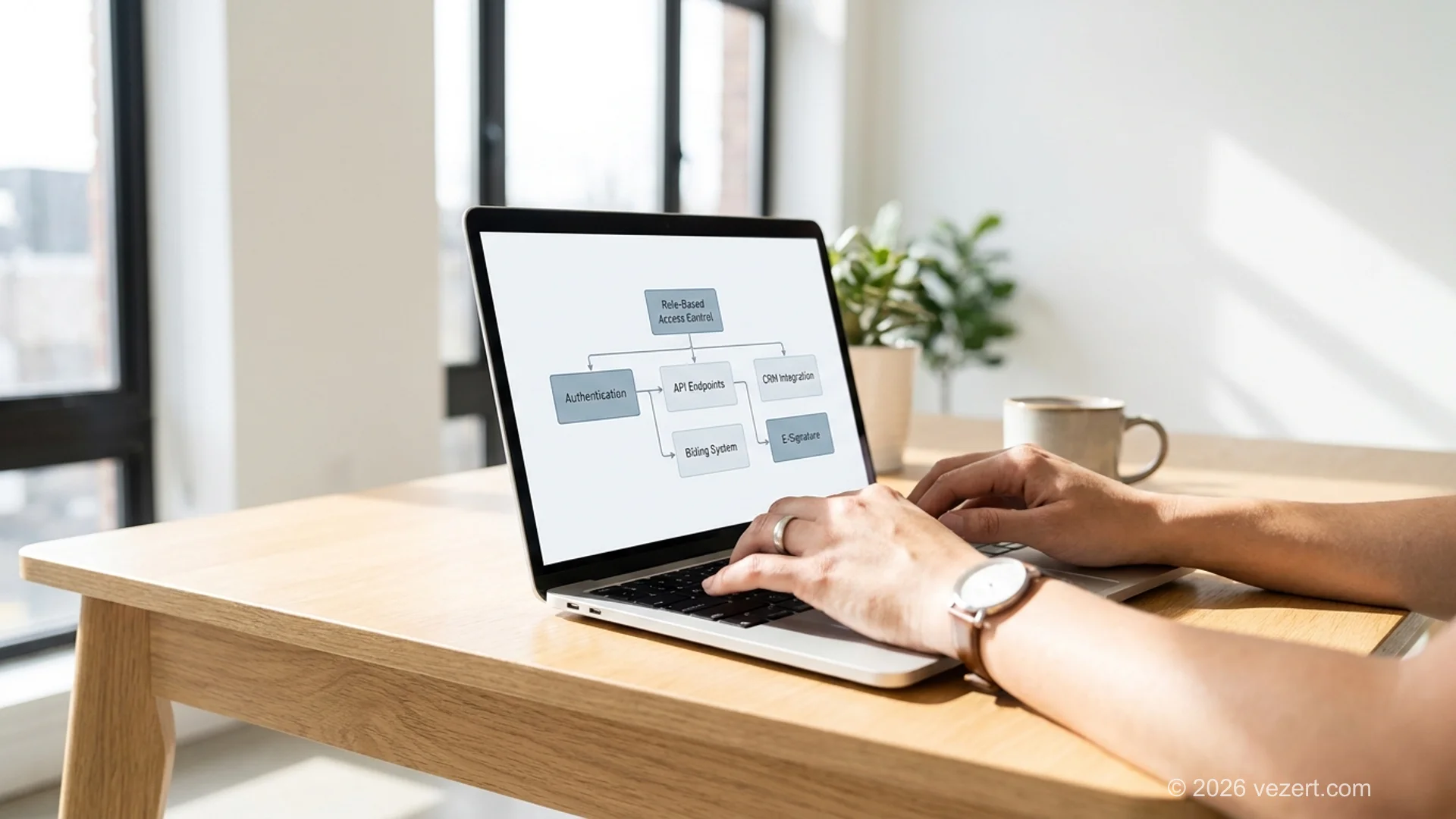
- Role-based access controls (RBAC) shape the view. A finance lead sees different dashboards than a procurement manager. Permissions cascade across documents, integrations, and actions.
- State persists across sessions. Saved searches, draft uploads, in-progress workflows, the portal remembers where the user left off.
The goal is operational, not promotional. A portal exists to reduce friction in repeat tasks: filing requests, downloading reports, signing documents, paying invoices, opening tickets. The success metric is task completion rate per minute, not bounce rate or session duration.
What a Web Portal Is Not
A portal is not a marketing site, an intranet wiki, or a single-purpose SaaS tool. It is closer to a digital product. The boundary line: if your audience needs to log in to do real work that involves their own data and other users' data, you are building a portal.
Why Companies Build Portals in 2026
The shift is driven by three forces. First, B2B buyers expect the same self-service experience they get as consumers, Salesforce data shows 76% of customers expect to handle most account tasks without contacting support. Second, support costs are linear with manual workflows and step-functioned with portals, a self-service portal often pays for itself by deflecting 40-60% of routine support tickets within 90 days of launch. Third, regulatory requirements (GDPR, HIPAA, SOC2) make a centralized, auditable portal cheaper than scattered spreadsheets and email.
What Are the 7 Types of Web Portals?
Most enterprise and B2B web portal projects fall into one of seven distinct functional categories. Knowing precisely which type of portal you are building from day one determines your database schema, compliance roadmap, user permission structure, and total capital investment over the entire software development lifecycle.
1. B2B Customer/Client Portal
The portal your customers use after they buy. Common in professional services, SaaS, and managed services. Core features: dashboards, document hub, billing/invoices, support tickets, e-signature, knowledge base. For a vertical-deep treatment, see our client portal software development guide.
2. SaaS Customer Portal
The authenticated product surface where paying users do their work, dashboards, billing, settings, integrations, support. Often the entire product is the portal. Multi-tenant architecture is mandatory. UX patterns matter more than feature count; see our SaaS customer portal design best practices for 8 patterns that consistently move retention.
3. Employee/Internal Portal (Intranet 2.0)
For staff: HR self-service, IT requests, document repository, project workspaces, internal communications. Replaces email-driven HR and IT workflows. Often integrated with single sign-on (SSO) and identity providers like Okta or Azure AD.
4. Vendor/Partner Portal
For your suppliers and partners. Common in retail, manufacturing, and distribution. Features: order placement, inventory visibility, contract management, performance dashboards. Compliance is heavy: vendor data isolation, audit trails, often SOC2.
5. Healthcare Patient Portal
For patients of clinics and hospitals: appointment booking, medical records access, prescription refills, secure messaging with providers. HIPAA-compliant. WCAG 2.2 AA accessibility is non-negotiable.
6. Education/Student Portal
For students and faculty: course registration, grades, assignment submission, library access, financial aid. Often integrated with learning management systems (LMS).
7. Government/Citizen Portal
For citizens to access public services: tax filing, license renewals, benefit claims, document requests. Highest accessibility and security standards. Increasingly important as governments digitize service delivery.
Most B2B companies start with type #1 or #2. Healthcare, education, and government portals carry significantly more compliance overhead and longer timelines.
Web Portal vs Website: Key Differences
Organizations frequently confuse a web portal project with a standard corporate website project, only to discover several months into development that their technical scope, security requirements, and data integrations are vastly more complex. Understanding these core distinctions early prevents expensive architectural redesigns and delayed launches.
How Does Web Portal Development Work? 8-Step Process
Every successful portal engineering project at Vezert moves through eight rigorous, predictable development phases. While terminology may vary slightly across software agencies, adhering to this disciplined sequential framework guarantees on-time delivery, tight security controls, and high user adoption from the moment your portal goes live.
Step 1. Discovery and Requirements (Week 1-2)
Who are the users? What roles exist? What does each role need to do, and what is each role forbidden to see? Which systems must the portal integrate with, CRM, billing, e-signature, identity? What compliance applies, GDPR, HIPAA, SOC2? The output of this phase is a written role matrix, integration map, and compliance scope. Without these three artifacts, every later decision is a guess.
Step 2. Architecture and Data Modeling (Week 2-3)
Decide tenancy model (single-tenant vs multi-tenant), database schema, authentication strategy (SSO, MFA, password rules), and the API boundary between frontend and backend. For multi-tenant SaaS portals, decide row-level vs schema-level vs database-level data isolation here, changing it later is a rebuild.
Step 3. UX and Information Architecture (Week 3-4)
Map user flows for the top 5 tasks per role. Wireframe the navigation, dashboards, and forms. Pressure-test the role matrix against the wireframes, if a role can see something they should not, fix the architecture, not the UI. Our UX/UI design service follows a conversion-first approach for portal flows.
Step 4. Visual Design and Component System (Week 4-5)
Apply brand to the wireframes. Build a component library, buttons, forms, tables, modals, tabs, that the development team will use. A portal with 30 pages and no component system becomes 30 inconsistent pages. The fix is upstream.
Step 5. Backend and Database (Week 4-7, parallel)
Build the API, set up the database, implement authentication and RBAC, set up audit logging. RBAC is the single hardest piece of any portal, get it wrong and you rebuild it under load. Test it with adversarial scenarios in week 6, not week 12.
Step 6. Frontend and Integration (Week 5-9, parallel)
Build the UI components against the API. Wire up integrations one at a time, with retry logic and graceful degradation when external systems are slow. Integrations are the second hardest piece, third-party APIs change.
Step 7. QA, Security Audit, and Performance Tuning (Week 8-11)
Functional testing across roles, security testing against the OWASP Top 10, accessibility audit (WCAG 2.2 AA), Core Web Vitals tuning, load testing for projected concurrent users.
Step 8. Launch and Post-Launch Support (Week 11-14)
Deploy to production, set up monitoring (uptime, error rates, latency), train the customer success team, ship a 30-day post-launch fix window, and define a support and maintenance model. Day one is the start, not the end.
From the trenches
"The biggest portal launch mistakes we see are not technical. They are scope decisions made before discovery: 'we need user roles' becomes 14 distinct permission tiers in week 6, and the project doubles in time. Lock the role matrix in week 1 or pay the tax in week 12.", Vezert engineering lead
What Tech Stack Powers Modern Web Portals?
Selecting the optimal technology stack for web portal development requires balancing initial engineering velocity with long-term security, maintainability, and horizontal scalability. In 2026, modern enterprise portals rely on modular, component-based architectures with reliable API integrations, strict typing, and high-performance serverless backends.
Frontend: Next.js + TypeScript
Server-rendered React via Next.js handles SEO-irrelevant authenticated routes well, ships fast initial loads, and keeps interactive state on the client where it belongs. TypeScript catches role-permission bugs at compile time. Combined with a component library (Radix, shadcn/ui), a small team ships consistent UI across 30+ portal pages.
Backend: Node.js + PostgreSQL or Python + PostgreSQL
For most B2B portals, Postgres is the default, proven, ACID-compliant, with row-level security primitives that simplify multi-tenant data isolation. Node.js (with Fastify or NestJS) keeps the team unified on JavaScript; Python (with FastAPI or Django) wins when integrations are data-heavy. Avoid microservices for portals under 50 endpoints, the operational complexity is not worth it. When planning this infrastructure, our custom web portal development services provide hardened backend architecture with multi-tenant data isolation from day one.
Authentication: Auth0, Clerk, or Self-Hosted
For most portals, a managed identity provider (Auth0, Clerk, Workos) is faster and more secure than building auth in-house. Self-hosted authentication makes sense when compliance requires on-premise data residency.
Integrations: REST + Webhooks + Job Queues
Most portal integrations are CRM (Salesforce, HubSpot), billing (Stripe, Chargebee), e-signature (DocuSign), document storage (S3), and email (SendGrid, Resend). Use webhooks for real-time updates, job queues (BullMQ, Sidekiq) for async work, and circuit breakers for fragile third-party APIs.
Hosting: Vercel + Managed Database, or AWS
Vercel for the frontend (Next.js native), a managed Postgres provider (Neon, Supabase) for the database, and S3-compatible storage for files covers 80% of mid-tier B2B portals. AWS is the answer when compliance requires VPC-level isolation. The right choice depends on data residency, scaling profile, and team operational capacity.
Avoid the trap of picking exotic technology to look modern. The stack should be boring enough that you can hire for it and stable enough that you do not maintain forks of three open-source projects to keep it running.
Backend Portal Architecture & Security Isolation
A high-performance web portal requires a resilient backend architecture capable of handling role-based data partitioning. For most modern enterprise portals, a Node.js or Next.js API layer provides the necessary flexibility while maintaining strict security boundaries.
Core Architectural Components
- Next.js/Node.js API Layer: Serves as the central gateway, routing requests and enforcing business logic before data reaches the client.
- Database Partitioning & Schema Isolation: Tenant data must be logically separated (row-level security in PostgreSQL) or physically isolated depending on compliance requirements. This prevents cross-tenant data leaks.
- OAuth2/OIDC Authentication: Standardized identity verification using OpenID Connect (OIDC) and OAuth2 ensures secure, scalable token management.
- Role-Based Access Control (RBAC): Every API endpoint must independently verify the user's role and permissions before returning data.
Portal Types: Technical Comparison Matrix
| Portal Type | Typical Latency | User Concurrency | Data Security Tier | Typical Cost Benchmark |
|---|---|---|---|---|
| Customer Self-Service | Medium (< 300ms) | High (1,000+) | Standard (PII, GDPR) | €9,000 to €16,000 |
| Partner/Dealer Portal | Low (< 200ms) | Medium (500+) | High (Financial/IP) | €18,000 to €25,000 |
| Enterprise Internal | Ultra-Low (< 100ms) | Low to Medium | Critical (Audit Logs) | €25,000 to €35,000+ |
For teams needing enterprise-grade architecture, our secure web portal development service provides the foundation. You can see how this architecture translates to production in our case study for a startup development company.
Why Security and Compliance Matter (and How to Get Both Right)
A portal is, by definition, a place where authenticated users access sensitive data. Security is not a feature, it is the foundation. The cost of getting it wrong is regulatory fines, breach-recovery costs, and reputation damage that follows the brand for years. According to recent reporting, 43% of cyberattacks target small business websites and apps via outdated dependencies and weak authentication (Global Media Insight 2024).
The Non-Negotiable Security Baseline
- Authentication with MFA. Password-only auth is insufficient for portals in 2026. Require MFA for any role with access to financial, personal, or client data.
- Role-based access control (RBAC) tested adversarially. Every API endpoint must verify the requesting user's role server-side. Never trust the client.
- Audit logs with retention. Every privileged action (data export, role change, permission grant) is logged with user, timestamp, and IP. Retention period set by compliance scope (7 years for HIPAA, 6 for SOC2-ready).
- Encryption at rest and in transit. TLS 1.3 in transit; AES-256 at rest; field-level encryption for PII.
- Dependency scanning weekly. Automated checks against CVE databases. Out-of-date dependencies are the #1 portal breach vector.
- Penetration testing pre-launch. Third-party pentest before go-live, not after.
Compliance Scope by Vertical
- All B2B portals: GDPR (if any EU user), basic OWASP Top 10 protection, WCAG 2.2 AA accessibility.
- Financial services: Add SOC2 Type II, PCI-DSS if processing payments.
- Healthcare: Add HIPAA, with BAAs from every subprocessor.
- EU enterprise: Add ISO 27001 readiness for procurement.
- Government: Add FedRAMP (US) or country-specific equivalent.
A Common Mistake
Teams treat security as an end-of-project audit. By the time the audit fails, the cost to fix RBAC issues across 30 endpoints is 5-10x what it would have been to design RBAC correctly in week 2. The fix is to make security part of architecture, not QA, design the role matrix and audit logging in week 1, validate adversarially in week 6, and pentest in week 11.
How AI-Augmented Development Compresses Portal Build Time
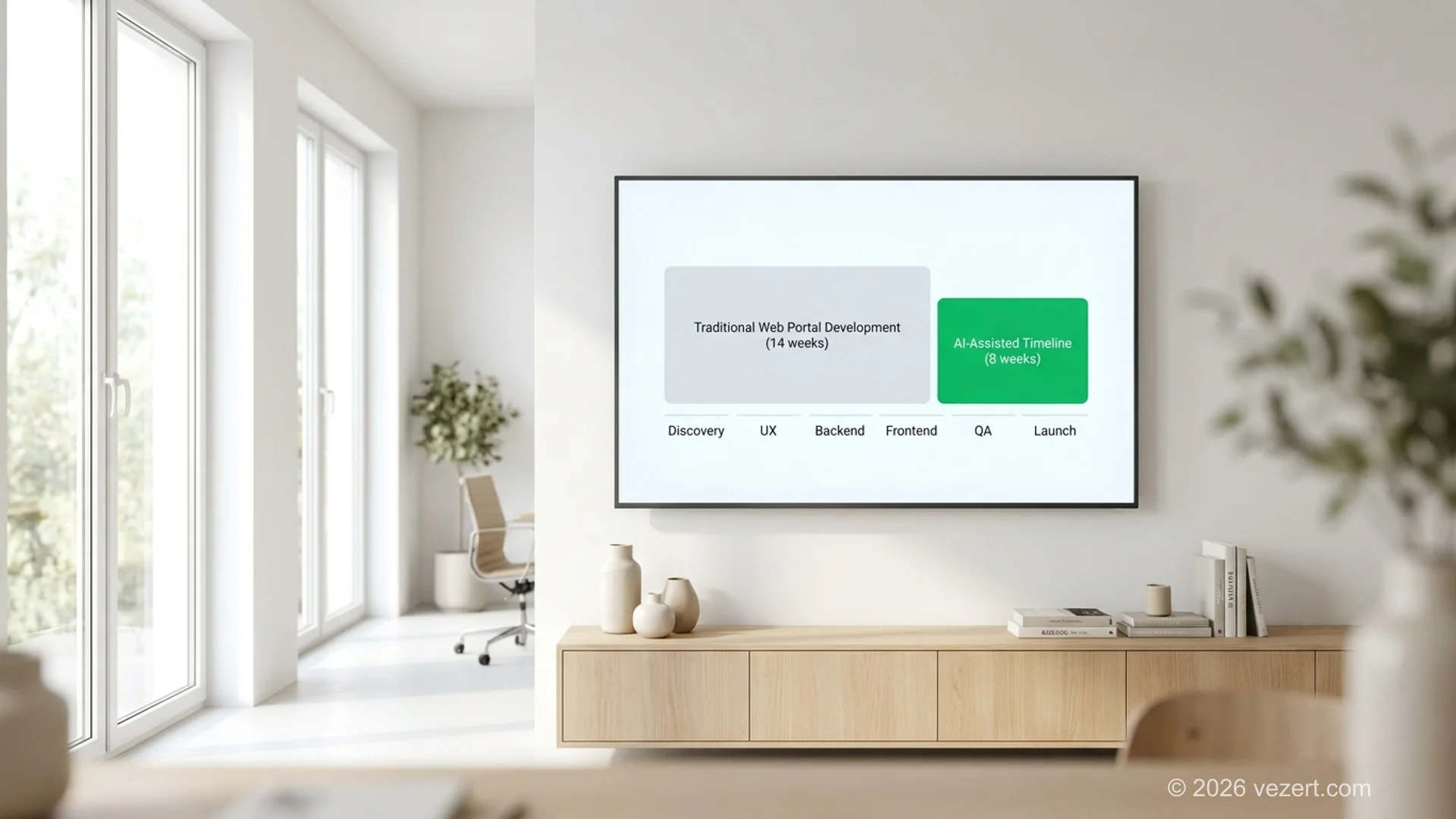
The 12-18 week portal build that was standard in 2022 is now 6-9 weeks in teams that use AI assistance well. The compression is not from AI writing the portal end-to-end. It is from AI removing friction in specific phases where senior engineers used to spend hours on repetitive work. Our companion piece on AI-augmented development breaks the methodology down in detail.
Where AI Actually Saves Time on Portals
- Component scaffolding (Frontend, Step 6). AI generates the first pass of repetitive forms, tables, and modal components from a design system spec. Senior frontend engineer reviews and refines. Time savings: 30-50% on UI work.
- API endpoint scaffolding (Backend, Step 5). AI generates CRUD endpoints, validation schemas, and basic test coverage from a database schema. Time savings: 20-35%.
- Test generation (QA, Step 7). AI writes regression tests covering happy paths and common edge cases. Engineer adds adversarial tests. Time savings: 25-40%.
- Documentation (post-launch). AI drafts API documentation, internal handoff guides, and customer-facing help articles. Time savings: 50%+ on documentation.
- Migration scripts. AI writes one-off data-migration code for moving from a SaaS portal to a custom build. Time savings: 40-60%.
Where AI Does Not Save Time (Yet)
- Architecture decisions. A senior engineer still owns multi-tenant strategy, database schema, RBAC design.
- Adversarial security testing. AI-generated tests cover happy paths well; security pentests need humans thinking like attackers.
- Stakeholder communication. A project manager still owns scope conversations.
The reason this matters for buyers: an agency using AI assistance well delivers the same portal in roughly half the calendar weeks at similar quality. The savings flow to either lower cost, faster time-to-market, or more iteration cycles before launch.
What Does Web Portal Development Cost in 2026?
The total investment required for custom web portal development in 2026 depends on five key technical variables: architectural complexity, custom integration depth, security compliance tiers, role-based permission hierarchies, and target user volume. Understanding these cost drivers helps decision-makers allocate capital effectively and avoid budget overruns.
Two costs sit outside that table and catch most buyers. Maintenance runs 10% to 25% of the build per year, so a €45,000 portal carries €4,500 to €11,000 annually. Infrastructure for a mid-tier portal, meaning hosting, database, storage, email and monitoring, adds a few hundred euros a month. Budget both explicitly and your real first-year cost lands 25% to 40% above the contract price.
How to Choose a Web Portal Development Partner
The long-term success, security posture, and adoption rate of your web portal directly reflect the technical expertise of the agency you hire. Selecting the right engineering partner requires looking beyond generic portfolios and assessing proven experience with complex authentication, legacy database integrations, and scalable B2B systems.
1. They Ask About the Role Matrix in the First Call
If the first call is about features and budget without a single question about user roles, the agency is selling you a generic project. The role matrix is where portal projects live or die. A serious partner asks: who logs in, what do they do, what should they not see.
2. They Show Real Portal Case Studies with Metrics
"We built a portal for [client]" is not enough. "We built a portal for [client], shipped in 9 weeks, deflected 47% of support tickets in the first quarter" is a credible signal. Ask for at least one case study in your industry or scope.
3. They Have an Opinionated Tech Stack, and a Reason for It
Agencies that build whatever you want are agencies that have not thought hard about what works. A senior partner has opinions: "We use Next.js + Postgres + Auth0 for 90% of B2B portals because [reasons]. We deviate when [conditions]." Opinions plus reasons is the marker of experience.
4. They Talk About Security in Concrete Terms
"We follow industry best practices" is generic. "We pentest against OWASP Top 10 in week 11, design RBAC in week 2, log every privileged action with 7-year retention" is specific. Specificity correlates with delivery quality.
5. They Use AI Assistance Without Pretending Otherwise
Agencies in 2026 should be transparent about how they use AI. "We use AI to scaffold components and tests. Senior engineers own architecture and security." If they hide it, they are either not using it (and shipping slower) or pretending they do not need it. Both are bad signs.
For a deeper framework on agency selection, our companion guide on how to choose a web design agency covers a 12-step buyer process. Vezert offers a secure web portal development service with all five signals above by default.
Web Portal Development: Final Decision Framework
When evaluating web portal development, enterprise leaders must ground their technical decisions in clear commercial objectives and measurable operational efficiency gains. Use the following structured decision framework to align your executive stakeholders and development teams before writing the first line of production code.
- Who logs in, and what does each role need to do? Write the role matrix on paper before you write a line of code. If you cannot, the project is not ready.
- What systems must the portal integrate with on day one? List them. Each integration is 1-2 weeks of work. Vague "future integrations" become scope creep.
- What compliance applies? GDPR, HIPAA, SOC2, PCI-DSS, FedRAMP. Compliance scope drives cost and timeline more than feature count.
- What is the success metric? Task completion rate? Support deflection percentage? Login frequency? Pick one and tie post-launch decisions to it.
- Build custom, buy SaaS, or migrate later? For 30+ users with deep integrations, custom usually wins on three-year cost. For MVPs and simple use cases, SaaS wins on speed. See our custom vs SaaS portal builder comparison for the full decision matrix.
Answer those five and the rest of the project gets predictable. Skip them and the project gets expensive.
If you are ready to scope a portal build with a partner, start the conversation with our team for a free discovery call.
On This Page
- What Is a Web Portal? Definition and Core Concepts
- What Are the 7 Types of Web Portals?
- Web Portal vs Website: Key Differences
- How Does Web Portal Development Work? 8-Step Process
- What Tech Stack Powers Modern Web Portals?
- Backend Portal Architecture & Security Isolation
- Why Security and Compliance Matter (and How to Get Both Right)
- How AI-Augmented Development Compresses Portal Build Time
- What Does Web Portal Development Cost in 2026?
- How to Choose a Web Portal Development Partner
- Web Portal Development: Final Decision Framework