On This Page
- The Webflow Alternatives Worth Considering, Grouped by What They Replace
- Why Teams Start Looking for Webflow Alternatives
- Where Webflow Truly Excels (and Where It Stops)
- How AI Changed the Build-Speed Argument
- The 5 Webflow Limitations That Show Up as Projects Grow
- What Webflow Costs, and How the Alternatives Compare
- How the Next.js + AI Development Process Works in Practice
- What to Prepare Before Starting a Next.js + AI Project
- How Content and CMS Work on Webflow and on the Alternatives
- How to Choose a Webflow Alternative
A Webflow alternative is any platform that takes over the job Webflow currently does for your site, and which one fits depends entirely on why you outgrew it. The field splits into four groups: other visual builders, traditional CMSs, headless content platforms paired with a frontend framework, and fully custom builds on Next.js.
Webflow is genuinely good software. It runs 0.8% of all websites and holds 1.2% of the CMS market, which sounds small until you notice it is concentrated in exactly the segment that cares about design quality. The problem is rarely the editor. It is what happens on the day a marketing site needs a real integration, a second language, or a page type the CMS was not shaped for.
We have shipped on Webflow and we have moved teams off it. This guide maps the serious alternatives, says which situation each one fits, and then goes deep on the one we build with: Next.js paired with AI agents. Our web development page covers the delivery side.
What Webflow Actually Costs in 2026
Webflow restructured its site plans in 2026. Starter is free, Basic is €15/month billed annually (€25 billed monthly) and ships with no CMS at all, and Premium is €25/month billed annually (€39 billed monthly) with the CMS included. Enterprise pricing is not publicly listed. The Basic tier is the one that catches teams out, because a site plan without a CMS cannot run a blog. Source: Webflow pricing.
From the trenches
"The honest split: under 10 pages with no real integrations, ship Webflow and don't overthink it. Past that, every workaround you stack on Webflow is a future migration tax. We've yet to see a marketing site cross 30 pages on Webflow without the team quietly hating it." - Vezert engineering lead
The Webflow Alternatives Worth Considering, Grouped by What They Replace
Most alternatives lists rank a website builder, a CMS and a JavaScript framework against each other on one scale, which helps nobody decide anything. Sorting them by what they actually replace works better. Webflow does three jobs at once: it hosts your site, it renders your pages, and it gives designers a visual canvas. Every option below keeps, drops or splits those three jobs differently.
Other Visual Builders: Framer, Wix, Squarespace
These swap one builder for another. You keep the visual canvas and the hosted convenience, and you keep the ceiling that comes with them. Framer is the closest like-for-like for design-led marketing sites. Wix and Squarespace trade design control for a gentler learning curve. This group makes sense when the complaint about Webflow is price or the editor, not the ceiling.
Traditional CMSs: WordPress, Craft, Ghost
Moving here buys you a mature content model and a large plugin ecosystem, and it hands you back a maintenance job. It is the right call when editorial workflow is the real constraint and you have someone to own updates. Our WordPress alternatives guide covers the trade-offs in that direction in detail.
Headless CMS Plus a Frontend Framework
Sanity, Contentful or Strapi keep the editing interface and hand rendering to Next.js or Astro. Editors keep a familiar surface, developers stop fighting the platform, and you now run two systems instead of one. Worth it above roughly a hundred pages or several locales.
A Fully Custom Next.js Build
No builder layer at all. Content lives in structured files or a database, pages are generated at build time, and there is nothing between your code and the output. The highest build cost of the four and the lowest running cost, which is why it pays back on sites that live for years rather than quarters.
Why Teams Start Looking for Webflow Alternatives
Two years ago, choosing between Webflow and Next.js was a straightforward compromise: launch fast with fewer features, or launch slow with everything. Modern AI-assisted coding and automated pipelines broke that equation completely by allowing engineering teams to build custom architectures with the rapid velocity previously exclusive to visual builders.
You can now build with Next.js and AI tools much faster and cheaper than before. Automated component generation, content preparation, translation workflows: they've closed the speed gap. Meanwhile, Webflow's weaknesses haven't gone anywhere.
The context has changed too. A website isn't just a storefront anymore. It's a traffic channel, an SEO asset, a CRM integration point, and a data source for AI-powered search engines. That's why choosing a technology isn't just a preference. It's a bet on how your system will perform a year from now.
For businesses planning a corporate website or a scalable digital product, this decision has long-term consequences that go well beyond launch day.
Where Webflow Truly Excels (and Where It Stops)
Credit where it's due. Webflow has real strengths, and pretending otherwise wouldn't be honest.
No developers needed for a quick start. A marketer or designer can build a landing page in a day or two without involving engineers. That's a genuine advantage for testing hypotheses or launching promo campaigns.
Visual control over design. Webflow gives you precise control of spacing, typography, and animations directly in the browser. For teams where the designer also handles implementation, it's a practical format for UX/UI design prototyping.
Ready-made integrations and templates cover common needs: forms, analytics, simple e-commerce. For projects with standard requirements, this is often enough.
Here's the thing, though. All of these benefits are tied to launch. For a growing business, the challenge shifts to sustainable growth: scaling content, managing performance, building deep integrations, keeping the cost of changes predictable. Webflow's strengths don't carry over to that stage.
When Webflow Is the Right Call
Webflow remains a solid pick for single-page marketing sites, short-lived campaign pages, and early-stage MVPs where getting something live in days matters more than building for scale.
How AI Changed the Build-Speed Argument
Webflow's original pitch was always speed: "Built a page in one day, didn't write a single line of code." And honestly, that used to be true when traditional React development required weeks of manual boilerplate, but modern agentic workflows have made production-grade Next.js development just as swift and significantly more scalable.
But in 2025-2026, the math changed.
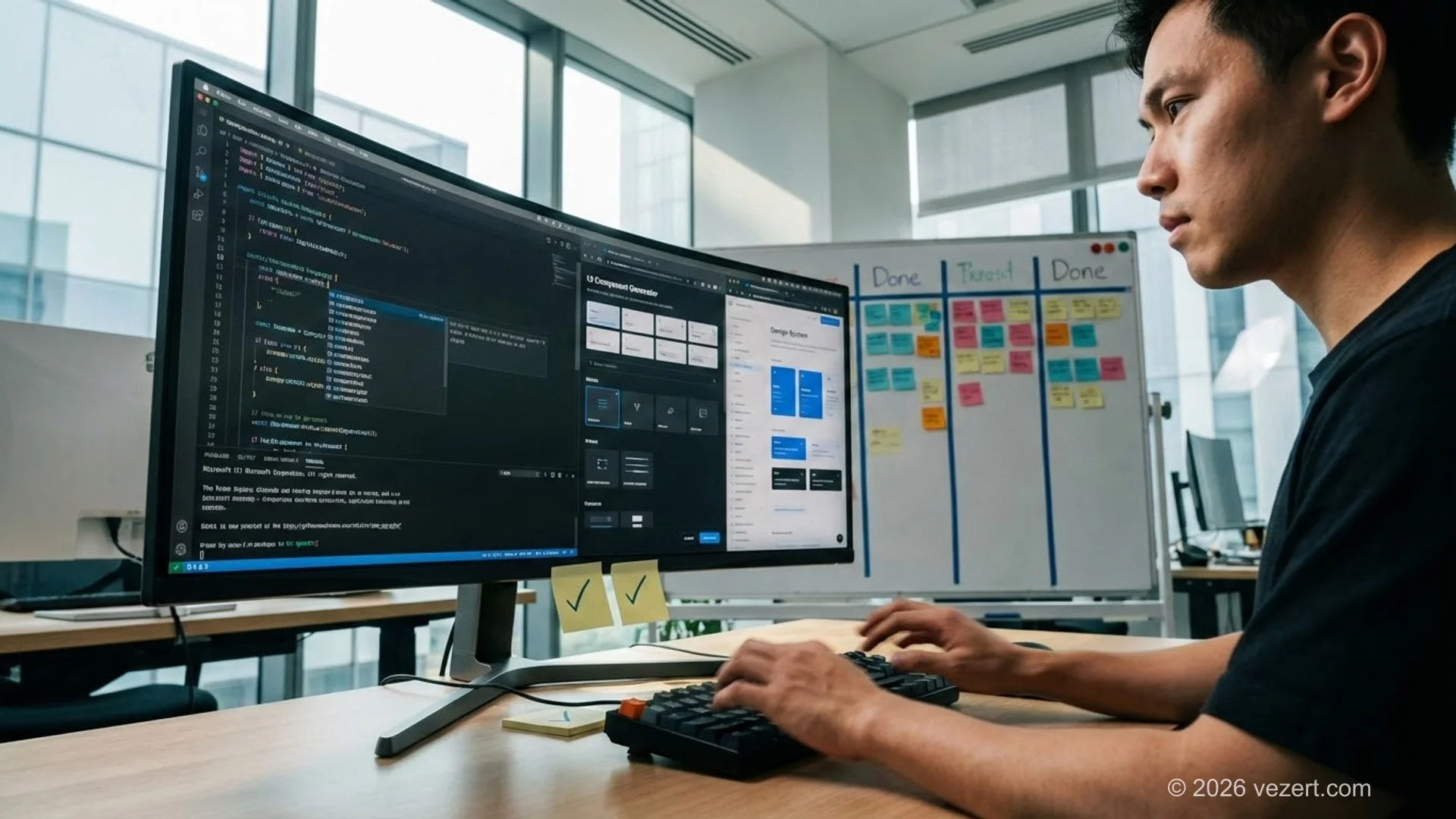
AI automated the grunt work. Component generation, responsive styles, translations, content drafts: what took hours now takes minutes. Developers aren't building pages pixel by pixel. They're orchestrating AI agents and reviewing output.
Component libraries matured. A team with a solid design system assembles a new page from existing blocks just as fast as a visual builder. The difference? Each block isn't a throwaway element. It's a reusable component with type safety, tests, and documentation.
The change cycle also got shorter. In a code-based architecture, updating one component can ripple across dozens of pages automatically. In Webflow, you'd touch each page by hand. With AI in the mix, it's even faster: change, review, deploy, all in one cycle.
Bottom line: on build speed alone, Webflow no longer has the clear advantage it had in 2022. That is a claim about our own delivery, not a published benchmark, and we have not found a credible study that measures it across teams. What is documented is the range of rendering strategies a framework gives you and a builder does not.
The 5 Webflow Limitations That Show Up as Projects Grow
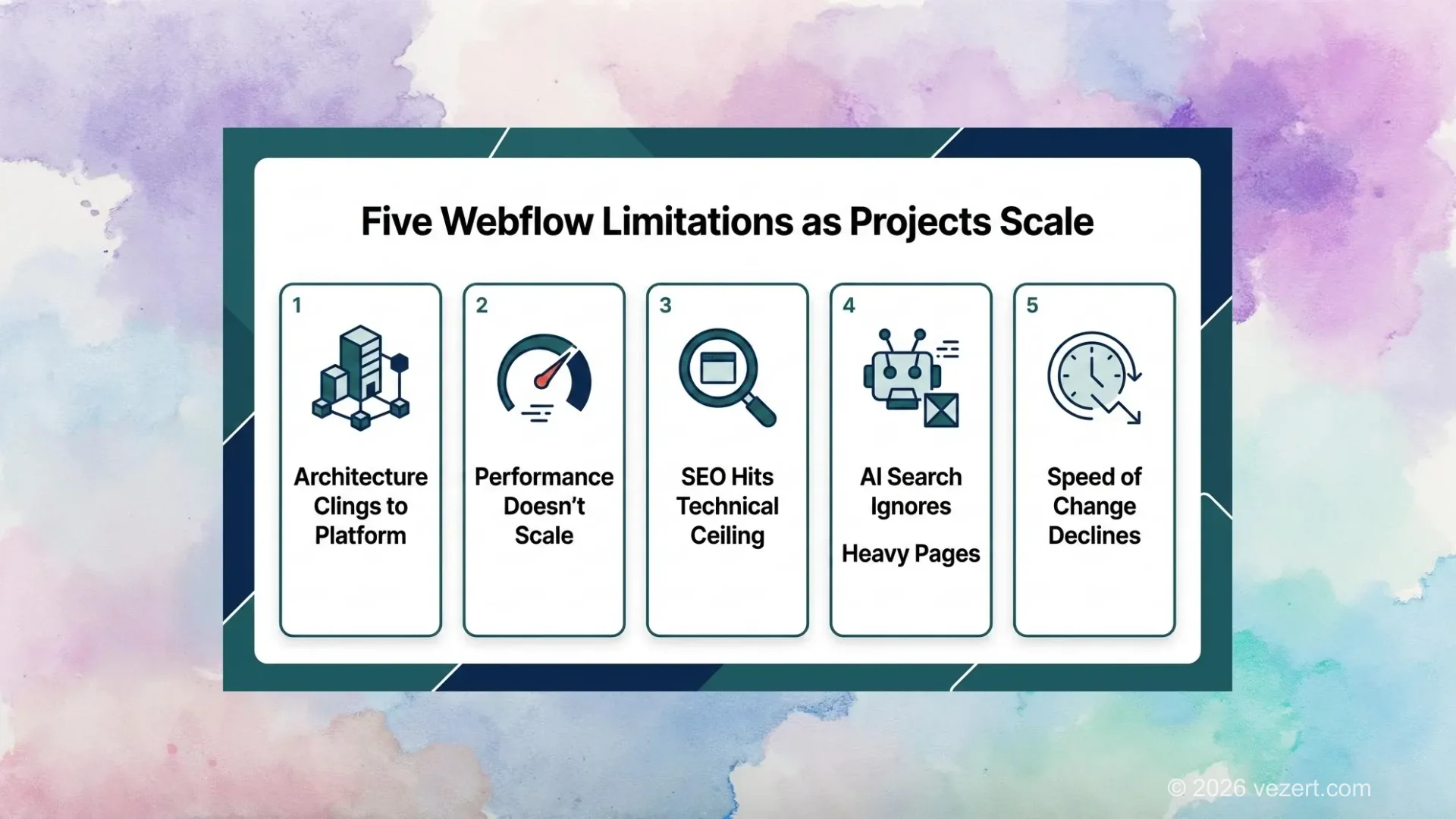
Webflow's limitations do not show up on day one. They surface once a digital project outgrows a single landing page and demands custom business logic, advanced data privacy compliance, multilingual localization, or high-volume rendering performance. Five technical areas in particular begin restricting growth as teams scale.
1. Architecture Serves the Platform, Not Your Business
Once you add multilingual support, dynamic filters, or custom user flows, the architecture starts being shaped by Webflow's constraints rather than your business logic. Every non-standard feature requires a workaround. Over time, these workarounds pile up into technical debt that's expensive to maintain.
2. Performance Doesn't Scale
Webflow doesn't give you much control over rendering, caching, or content delivery. That's fine for a small landing page. But once the site reaches hundreds of pages with dynamic content and complex animations, load speed drops, and conversions and search rankings drop with it.
Next.js lets you pick a rendering strategy per page: SSR for personalization, ISR for updatable content, static generation for raw speed. Webflow doesn't offer that flexibility.
3. SEO Hits a Technical Ceiling
Search engines don't just evaluate text. They measure technical quality: Core Web Vitals, time to first render, layout stability. Even great content ranks worse if the technical metrics are poor. Accurately controlling these parameters in Webflow is difficult, and that's a real problem when comparing Webflow vs Next.js for SEO.
4. AI Search Engines Ignore Heavy Pages
AI Search is a traffic channel that didn't exist two years ago. AI-powered search engines favor sources where content can be extracted quickly and accurately: clean semantics, stable structure, fast delivery. A dense, inconsistently rendered page with lots of noise is less likely to appear in AI-generated responses.
5. Speed of Change Slows Down
As a project grows, you need to ship improvements fast: new sections, A/B tests, funnel experiments. Without full engineering control, each minor update takes longer than the last. This isn't just a technical annoyance. It's a business risk that affects your website performance and competitive position.
Every figure comes from the company's own published case study rather than from a platform vendor's benchmark. Source: web.dev and Chromium blog case studies.
Farfetch measured a 1.3% drop in conversion rate for every additional 100 ms of LCP beyond the 2.5 s threshold. The steps above apply that published coefficient; Farfetch measured the rate, not each point. Source: Farfetch, web.dev case study.
What to Keep in Mind About Platform Costs
The biggest mistake is judging a platform by launch cost alone. What matters more for any business is total cost of ownership: maintenance, speed of changes, cost of scaling, and the price of migration if the approach stops working. Run the numbers over a 12-24 month horizon before deciding.
What Webflow Costs, and How the Alternatives Compare
Webflow looks cheaper at the start, and in absolute launch cost, it probably is. But project cost does not stop at launch. When comparing Webflow vs Next.js over a full multi-year business cycle, the financial picture shifts dramatically due to subscription tiers, bandwidth overages, and manual maintenance hours.
What drives the actual cost of ownership within 6-12 months?
Manual operations. Recreating content across dozens of pages by hand, copying styles between sections, manually testing responsiveness. All paid employee time. In a code-based architecture, these operations are automated.
Large-scale changes. A design system update, new language, or navigation rework can take days of manual work in Webflow. In Next.js, it's a single component or config change.
Migration is another factor worth calling out. If a project outgrows Webflow within a year, migration means rebuilding the site: new architecture, content transfer, restructured integrations. We see this regularly in our portfolio of rescue projects. It's never cheap.
Then there's the cost of working around limitations. Features Webflow doesn't support get patched through third-party services, API hacks, or extra tools. Every workaround adds to the budget.
For projects with steady growth, total cost of a Webflow project often ends up higher than a managed Next.js architecture with automated workflows. Check our pricing page for transparent estimates on code-based projects.
Paying monthly instead of annually costs an extra €168 a year on Premium. Enterprise pricing is not publicly listed. Source: Webflow pricing, plans restructured in 2026.
How the Next.js + AI Development Process Works in Practice
Next.js + AI is not simply Next.js where someone occasionally asks ChatGPT a question. It represents a structured software engineering system where AI agents and automated tools are deeply woven into every single layer of the design, coding, testing, and localization workflow under senior human architectural direction.
Component library. Every UI element, from buttons to full page sections, lives as typed React components. Assembling a new page from existing blocks takes minutes, not hours.
Controlled rendering. Each page gets the right strategy: static generation for speed, ISR for updatable content, SSR for personalization. The developer decides, not the platform.
Integrations are centralized. CRM, analytics, payment systems, email services connect through a single API layer instead of a collection of plugins. And AI agents handle the repetitive work: content drafts, translations, technical edits, code review, QA. Specialists focus on decisions that actually require expertise.
The core idea: AI amplifies the team but doesn't replace architecture. Structure, quality, and business logic decisions stay with people.
Learn more in our article on AI-First Web Development. For teams considering a web portal, the architectural advantages of Next.js become even more obvious.
What to Prepare Before Starting a Next.js + AI Project
Next.js + AI speeds up development dramatically, but only when engineering teams have completed thorough foundational preparation. Without rigorous architectural boundaries, unified design tokens, and clear specifications, automated agents merely generate chaotic technical debt faster than a human developer ever could. Proper setup is essential.
State Objectives and Success Criteria
What should the site deliver for the business? Leads, sales, organic reach, speed of launching new pages? Define KPIs, MVP scope, and acceptance criteria for each stage. You can't tell whether an approach is working without clear benchmarks.
Design Architecture Before Code Generation
Rendering strategy, data structure, API layer, caching rules, multilingual approach: these decisions need to happen before anyone writes code. Skip this step and you'll be rebuilding at the first traffic spike. Our website structure planning guide covers this in detail.
Write Instructions for AI Agents
AI without clear rules generates unstable code. A good instruction defines the agent's role, architectural constraints, naming conventions, output format, and required checks. More precise instructions produce more predictable results.
Establish a Quality Control Process
Code review, tests, linting, type checking. All mandatory, even when AI writes the code. Especially when AI writes the code. Without discipline, generation speed just becomes the speed of accumulating technical debt.
Already on Webflow and Considering a Move?
Migration from Webflow to Next.js doesn't have to be all-or-nothing. Start with the highest-traffic pages and move the rest gradually. Many teams run both platforms in parallel during the transition. It spreads cost and reduces risk.

How Content and CMS Work on Webflow and on the Alternatives
The gap between approaches gets more obvious the longer you maintain a site. When evaluating Webflow vs Next.js for content management, differences compound over time.
In a manual workflow, your team spends hours on repetitive operations: copying blocks, updating text page by page, manually checking layout. In an automated workflow, processes handle these tasks and the team focuses on quality and strategy.
AI Content Works Best With Editorial Oversight
AI content generators can be useful for drafts, structure, and brainstorming. On any platform. But fully generated text without editorial review usually produces weak results: generic phrasing, shallow arguments, factual errors.
Honestly, an AI-generated article is where the work starts, not where it ends. You need an editor who checks facts, logic, terminology, and style. For multilingual projects, add a separate translation review cycle.
CMS Is Evolving Toward Managed Systems
CMS platforms are moving toward managed systems where content, display logic, and integrations connect in a single process. An update isn't a set of disconnected manual actions anymore. It's a process launch with a predictable outcome. That reduces the cost of changes and makes maintenance scale.
How to Choose a Webflow Alternative
Webflow does what it's designed to do: launch a simple page quickly, test a hypothesis, run a promo campaign. If your project won't grow beyond these scenarios, the builder works fine.
But when a website is a strategic business asset, the criteria change. Long-term architectural control, performance, integration flexibility, content scalability, and search engine visibility, including AI-powered channels, all start to matter.
For those requirements, the Next.js + AI + engineering methodology stack is a better fit. It demands more discipline upfront but delivers resilience and flexibility over time. If you're also evaluating whether to drop WordPress rather than Webflow, our WordPress vs Next.js comparison covers the performance data, security tradeoffs, and total cost of ownership in detail.
A simple rule: if you plan to invest in your website for more than one quarter, start with architecture, not a builder. Choosing a Webflow alternative ultimately comes down to your growth timeline and how much control you need over your digital product. Picking a platform you will outgrow only moves the cost forward, and our guide to website migration covers what that later move involves.
Takeaways for Choosing a Webflow Alternative
- Webflow works well for marketing pages you can ship fast, without complex logic or deep integrations.
- The Webflow alternative that fits is the one replacing the part you actually outgrew, not the one topping a listicle.
- Next.js + AI is stronger for scalable projects where performance, SEO, and architectural control matter.
- Performance directly influences visibility in both traditional search and AI Search.
- Total cost of ownership matters more than launch cost. Run the numbers over 12-24 months.
- AI accelerates the team but doesn't replace architectural decisions and engineering control.
- Migration from Webflow to Next.js is possible but expensive. Choosing correctly from the start saves significant resources.
For a side-by-side 2026 platform matrix including Framer, read our Webflow vs Framer vs custom Next.js B2B benchmark.
On This Page
- The Webflow Alternatives Worth Considering, Grouped by What They Replace
- Why Teams Start Looking for Webflow Alternatives
- Where Webflow Truly Excels (and Where It Stops)
- How AI Changed the Build-Speed Argument
- The 5 Webflow Limitations That Show Up as Projects Grow
- What Webflow Costs, and How the Alternatives Compare
- How the Next.js + AI Development Process Works in Practice
- What to Prepare Before Starting a Next.js + AI Project
- How Content and CMS Work on Webflow and on the Alternatives
- How to Choose a Webflow Alternative