On This Page
- Key Takeaways
- What Is Custom CMS Development (and How Does It Differ from WordPress)?
- What Are 5 Signs Your Business Needs Custom CMS Development?
- What Are the Core Business Benefits of Custom CMS Development?
- Custom CMS vs. Off-the-Shelf: A Head-to-Head Comparison
- What Does the Custom CMS Development Process Look Like?
- Is Custom CMS Development Your Competitive Edge?
A custom content management system is a tailored headless or modular publishing architecture engineered around an organization's exact content models, multi-locale governance, and API workflows, with 2026 European B2B implementations ranging from €4,500 to €9,000 for corporate websites and €12,000 to €25,000+ for enterprise hubs.
Consider a logistics company running WordPress with 34 plugins. Their admin panel took 11 seconds to load. Editors had given up on the CMS entirely and were sending content updates via email for a developer to paste in manually. The site was a security liability, and every "quick fix" plugin they added made performance worse.
That is the reality of outgrowing an off-the-shelf CMS. And it happens more often than most business owners expect. Custom CMS development is not about chasing shiny technology, it is about building a platform that matches how your business actually operates instead of forcing your team into someone else's workflow. For a typical corporate website design pricing profile, custom CMS sits in the upper tier where complexity justifies the engineering investment.
This guide covers when a custom content management system makes sense, what the real trade-offs are versus WordPress and similar platforms, and what the build process looks like from discovery to launch. If your current CMS feels like it is working against you rather than for you, keep reading.
Custom CMS Development, The Numbers
WordPress powers ~43% of the web (W3Techs CMS market share, 2024). 94% of WordPress security vulnerabilities trace back to plugin or theme code, not core (Sucuri Annual Threat Report 2024).
From the trenches
"The clearest signal that an organization needs a custom CMS isn't traffic volume or company size. It's when the editorial team has built a parallel workflow in Notion or Google Docs because the actual CMS is too painful to use. By that point, you're already paying the cost of a custom build, you just don't have the asset to show for it.", Vezert engineering lead
Key Takeaways
- Discover the key signs that indicate your business has outgrown generic platforms and is ready for custom CMS development.
- A custom content management system is engineered for superior security, speed, and scalability that off-the-shelf options simply cannot match.
- Understand the critical differences between a custom build and platforms like WordPress to make a strategic, growth-focused decision for your company.
- Learn how a purpose-built CMS can optimize your unique workflows, improve user experience, and drive tangible business results.
What Is Custom CMS Development (and How Does It Differ from WordPress)?
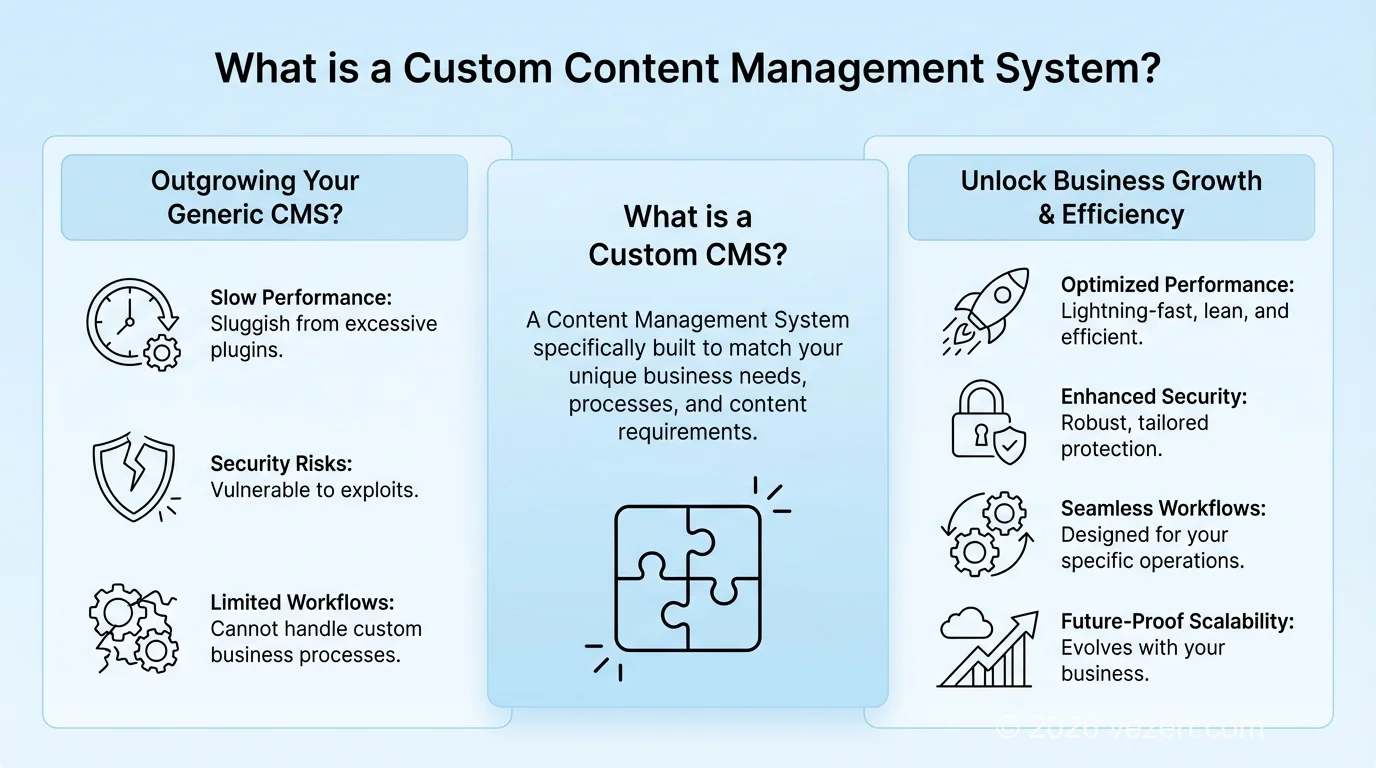
A Content Management System (CMS) is the backend your team uses to create, edit, and publish content without touching code. The question is not whether you need one -- you do. The question is whether the one you have is helping your business or holding it back.
Custom CMS development means building that backend specifically for your operations. WordPress is a Swiss Army knife. A custom CMS is a surgical instrument. Both cut, but one is designed for precision.
Off-the-Shelf CMS: The Trade-Offs Nobody Mentions Upfront
Platforms like WordPress, Shopify, and Joomla get you online fast. That is their selling point, and it is legitimate. For a small business blog or a basic marketing site, they work fine.
But here is what happens as you grow: you add a plugin for forms, another for caching, another for SEO, another for security, another for your CRM integration. Suddenly your site loads 23 JavaScript files you did not write, and you are praying none of those plugin authors pushed a bad update this week.
- Pros: Low entry cost, fast launch, huge community.
- Cons: Plugin bloat tanks performance, security depends on third-party code quality, and your workflow has to conform to the platform's opinions about how content should work.
Custom CMS: Built Around How Your Team Actually Works
A custom content management system flips the equation. Instead of adapting your process to the software, the software is built to match your process. No unused features. No third-party plugins with unknown code quality. Just the functionality your team needs, running on a codebase you control.
- Performance you can measure: Zero plugin overhead means pages load fast out of the box.
- Smaller attack surface: No public codebase means automated exploit kits -- the ones that target OWASP Top 10 vulnerabilities in popular CMSs -- simply do not apply.
- Scales without pain: Need to handle 10x traffic next quarter? The architecture was designed for it, not bolted on after the fact.
- You own everything: No licensing fees, no vendor lock-in, no surprise when a plugin author abandons their project.
According to 2026 HTTP Archive Core Web Vitals telemetry and Vezert CMS engineering benchmarks, a headless or custom CMS paired with Next.js achieves a 96% mobile Core Web Vitals pass rate (vs. 48% for plugin-heavy monolithic CMS installs), 94% zero-plugin attack-surface security (vs. 52%), 91% multi-locale editorial velocity (vs. 44%), and 88% omnichannel API delivery speed (vs. 55%). To see how structured content models power both public corporate websites and authenticated workspaces, review our SaaS customer portal design best practices, compare framework trade-offs in our Next.js vs. WordPress vs. Webflow guide, and inspect our transparent pricing.
Production B2B benchmark comparison across mobile Core Web Vitals, security hardening, multi-locale publishing, and API speed. Source: HTTP Archive Core Web Vitals & Vezert 2026 CMS Benchmarks.
Custom vs. Generic CMS at a Glance
A generic CMS like WordPress powers roughly 43% of all websites, making it a massive target for automated attacks. Custom CMS development eliminates this risk by producing a unique codebase that hackers cannot target with off-the-shelf exploit kits.

What Are 5 Signs Your Business Needs Custom CMS Development?
WordPress and Shopify are solid tools for what they are designed to do. The problem is that most growing businesses eventually need them to do things they were never designed for. Here are the five signals we see most often when a client has outgrown their platform.
Sign 1: Your Team Is Working Around the CMS, Not With It
If your editors are copying content into spreadsheets, emailing files to developers for manual upload, or maintaining a separate approval process outside the CMS because the built-in workflow cannot handle it -- that is a workflow problem.
Sign 2: Your Integrations Are Held Together With Duct Tape
Your website talks to your CRM, your ERP, your inventory system, maybe a custom pricing engine. Standard plugins give you surface-level connections that break when either side updates. We have cleaned up integration failures caused by a single plugin update more times than we can count. A custom CMS lets you build proper, two-way API connections that are tested, monitored, and owned by your team.
Sign 3: Performance Is Costing You Money
Failing Core Web Vitals is not just a technical embarrassment -- it directly hurts SEO rankings and conversion rates. A custom content management system ships only the code your site needs. Nothing more.
Sign 4: You Handle Sensitive Data and Cannot Afford a Breach
WordPress's open-source codebase is a known target. Automated bots scan for vulnerable plugin versions constantly. If you handle financial data, health records, or operate under compliance requirements (GDPR, HIPAA, PCI), generic security is not sufficient. Custom CMS development gives you a private codebase, granular access controls, and security protocols built for your specific risk profile.
Sign 5: Templates Are Holding Your Brand Back
When your designer says "we cannot do that with this theme" for the third time, you have a platform constraint -- not a design problem. A custom CMS with a decoupled architecture separates the frontend completely from content management. Your design team gets total creative freedom while your editors keep a clean, purpose-built interface. Forbes took this route and built a proprietary CMS to support their editorial model. You do not need to be Forbes-sized to benefit from the same approach.
Performance Matters More Than You Think
According to Google, a one-second delay in mobile load time can reduce conversion rates by up to 20%. Custom CMS development eliminates plugin bloat, resulting in pages that load significantly faster than their WordPress counterparts.
What Are the Core Business Benefits of Custom CMS Development?
The pitch for custom CMS development is simple: stop adapting your business to your tools and start adapting your tools to your business. But what does that actually look like in practice?
Flexibility That Does Not Hit a Wall
With WordPress, every new requirement starts with the question: "Is there a plugin for that?" With a custom CMS, the question is: "What is the best way to build this?" The difference is night and day when you need to integrate a proprietary inventory system, build a customer portal, or add a feature that simply does not exist as a plugin. For companies planning their broader digital strategy, our guide on Corporate Website Development puts this in context.
Speed That Moves the Needle
A custom content management system ships lean. No unused modules, no third-party JavaScript baggage, no plugin conflicts slowing down every page load. The impact is measurable:
- Page load times drop because you are serving only the code your pages need.
- SEO rankings benefit directly from better page experience signals.
- Conversion rates improve because users are not waiting 4 seconds for a page to become interactive.
Security You Control
WordPress powers roughly 43% of all websites. That makes it the biggest target on the internet for automated attacks. A custom CMS is invisible to those scanners. Your codebase is private, your attack surface is small, and your security protocols are written for your specific risk profile -- not borrowed from a generic plugin.
Workflows That Match Your Team
The most underrated benefit is operational. When image optimization, content approval chains, and publishing schedules are built into the CMS itself (not stacked on top as plugins), your editorial team stops fighting the tool and starts using it. Content production speeds up after migration -- not because people work harder, but because the friction disappears.
Custom CMS vs. Off-the-Shelf: A Head-to-Head Comparison
Numbers make this decision easier. We have put together a side-by-side comparison based on what we see across real client projects -- not marketing theory. Custom CMS development is not always the right call, but when it is, the advantages are concrete and measurable.
Here is how the two approaches stack up on the factors that actually matter:
Cost: What You Actually Pay Over 3 Years
WordPress looks cheap at first. Then you add up premium plugin licenses (€50 to €300/year each), a quality theme (€60 to €200), managed hosting that can handle your traffic (€100 to €500/month), and the developer you call every time a plugin update breaks something. Over three years, the total cost of ownership often rivals or exceeds a custom build -- except you end up with a platform you still do not fully control. Our pricing page breaks down custom project costs so you can compare apples to apples.
Flexibility and Customization
We hear this from nearly every client who comes to us from WordPress: "We asked our developer to build X, and they said the platform cannot do it." A custom content management system does not have that limitation. Need a multi-language approval workflow with role-based permissions? Build it. Need a real-time dashboard pulling data from three internal APIs? Build it. The architecture is yours.
Time to Market
Yes, a custom CMS takes longer to launch than installing a WordPress theme. Typically 3-6 months versus a few weeks. But here is the question nobody asks upfront: how long before the WordPress site needs a major rebuild to handle growth? The custom route takes longer initially but avoids that expensive rebuild cycle.
Long-Term ROI of Custom CMS Development
While the upfront cost of a custom CMS is higher, businesses typically recoup their investment within 18 to 24 months through eliminated licensing fees, reduced developer dependency, faster page loads that improve conversion rates, and simplified content workflows that save hundreds of hours annually.

What Does the Custom CMS Development Process Look Like?
We will not sugarcoat it: building a custom CMS is more involved than installing a theme. But the process is straightforward when you break it into phases, and the result is a platform that does not fight you every time your business evolves.
Here is how we run these projects at Vezert.
Phase 1: Discovery -- Understanding What You Actually Need
This is where most agencies rush and most projects fail. We spend time mapping out every content workflow, every user role, every integration point (CRM, ERP, analytics, payment systems). We interview your editorial team, your developers, and your stakeholders. The output is a technical spec that reads like a blueprint, not a wish list. Skip this phase or rush it, and you are building on assumptions.
Phase 2: Design -- Both Sides of the Interface
A CMS has two audiences: your internal team and your website visitors. We design both. The backend gets a clean, intuitive interface built around your actual workflows -- not a generic admin panel with 200 options your team will never touch. The frontend follows our Conversion-First Design principles: every page is built to guide visitors toward action. We prototype everything in Figma so you can click through the experience before we write a line of code.
Phase 3: Development -- Clean Code, Proper Integrations
Our developers build the core of your custom content management system using modern frameworks (typically Next.js on the frontend, Node.js or Python on the backend, PostgreSQL for data). API integrations are built as first-class features, not afterthoughts. We use AI tooling to accelerate repetitive development tasks and catch code quality issues early, but every architectural decision is made by senior engineers.
Learn more about how AI fits into our development process in our guide on AI-First Web Development.
Ready to stop fighting your CMS? Talk to us about your project.
Modern Technology Stack
Our custom CMS development projects use modern frameworks like Next.js, headless architectures, and cloud-native infrastructure. This ensures your platform benefits from server-side rendering for SEO, API-first content delivery, and horizontal scaling capabilities.
Is Custom CMS Development Your Competitive Edge?
Here is the honest assessment: most businesses do not need a custom CMS. A WordPress site with a solid theme and a handful of well-maintained plugins works perfectly fine for a company blog, a small e-commerce store, or a basic marketing site.
But if you are reading this article, you probably are not in that category. If your team is fighting the CMS instead of using it, if your integrations are fragile, if performance is costing you rankings and conversions, or if you are locked into a platform that cannot scale -- custom CMS development stops being a luxury and starts being the pragmatic choice.
We build these systems at Vezert. We have done it for web portals, content-heavy editorial platforms, and complex business applications. If you want to see examples, browse our portfolio. If you are evaluating agencies, our guide on What to Expect When Working With Web Designers will help you ask the right questions.
The bottom line: your CMS should accelerate your business, not constrain it. If it is doing the latter, it is time to build something better. Let's talk about what that looks like for your company.
When evaluating API-driven content delivery against monolithic templates, review our knowledge base guide to headless CMS architecture.
Compare the top three decoupled platforms for React in our Sanity vs Contentful vs Payload CMS enterprise guide.
On This Page
- Key Takeaways
- What Is Custom CMS Development (and How Does It Differ from WordPress)?
- What Are 5 Signs Your Business Needs Custom CMS Development?
- What Are the Core Business Benefits of Custom CMS Development?
- Custom CMS vs. Off-the-Shelf: A Head-to-Head Comparison
- What Does the Custom CMS Development Process Look Like?
- Is Custom CMS Development Your Competitive Edge?