
On This Page
- Why Website Content Has to Come Before Design
- How Website Content Shapes User Experience
- What a Content-First Process Actually Looks Like
- What Types of Website Content Drive Real Results
- How Website Content Affects Your Search Rankings
- How to Write Website Content That Converts
- 7 Website Content Mistakes That Kill Results
- What a Website Content Audit Checks
- Who Writes Website Content and What It Costs
- How to Plan Website Content for Your Next Site
- Your Website Is Only as Strong as Its Content
Website content is every word, image, table and video a visitor reads on your site: page copy, headings, product descriptions, FAQs, case studies and the microcopy on buttons and forms. It is the part of a site that answers questions and moves people toward a decision, and it is the part most redesign projects leave until last.
Here is a scenario that plays out more often than it should. A business spends months and serious budget on a redesign. Launch day arrives. Everyone celebrates. And then nothing happens. Traffic does not move. Conversions stay flat. The site looks great, but it is not working.
We see this constantly. Most of the time, the design isn't the problem. The content is. More precisely, nobody built a real content strategy before the design process started.
Content in web design isn't decoration. It's the backbone. When words, images, and messaging get treated as an afterthought, something you cram into templates after the visuals are "done," you end up with a beautiful shell that doesn't communicate or convert. In this guide, we'll explain why content should lead your web design process, how it shapes user experience, and what content-first actually looks like in practice.
Why Website Content Has to Come Before Design
Think about it this way: an architect doesn't draw blueprints before knowing what the building is for. A filmmaker doesn't start shooting without a script. Yet in web design, it's weirdly common to finalize layouts, pick color palettes, and build wireframes before a single headline has been written.
The Real Cost of Design-First Thinking
This backwards workflow creates real problems. Designers make assumptions about content length, tone, and structure. They fill mockups with lorem ipsum and stock photography, which looks fine in a presentation but falls apart once real content shows up. Headlines don't fit. Body copy overflows. CTAs feel disconnected from everything around them.
The solution is simple: start with content. When you know what you need to say, and who you're saying it to, design decisions get easier. The layout serves the message instead of boxing it in. Navigation reflects the questions your users actually have, not some sitemap dreamed up in isolation. This is the foundation of content-driven web design.
As the Interaction Design Foundation puts it, content-first means creating the actual words, visuals, and messages users need before any wireframes or layouts exist. It's not a radical idea. It's common sense that the industry has been slow to adopt.
How Website Content Shapes User Experience
User experience is not just smooth animations and clean grids. At its heart, UX is whether visitors can find what they need, understand what they have found, and take action on it. Website content carries all three jobs. Navigation labels decide what people find, headings and body copy decide what they understand, and button text decides whether they act.
Visual Hierarchy Starts with Words
Designers create visual hierarchy through size, color, spacing, and placement. But what are they making hierarchical? Content. A headline needs prominence because it carries the page's main message. Supporting paragraphs elaborate. CTAs need visual weight because they represent the next step. Without clear, purposeful content, visual hierarchy becomes guesswork. You're arranging elements by size without knowing which ones your users actually care about.
Microcopy Makes or Breaks Interactions
Button labels, form hints, error messages, tooltips. These tiny text elements have a huge impact on usability. "Submit" versus "Get Your Free Quote" can be the difference between a form that converts at 2% and one that converts at 6%. Microcopy guides users through interactions, cuts confusion, and builds confidence right when people are deciding what to do next. Website copywriting UX is inseparable from these decisions, the words and the interface grow together. It isn't something you bolt on after the design is finished. It needs to be part of the process from the start.
Content Reduces Cognitive Load
When visitors land on your site, their brains make rapid decisions. Is this relevant? Can I trust this? Where do I go next? Well-structured content reduces the mental effort needed to process your page. Concise paragraphs, descriptive headings, and scannable lists all help. Research shows that if content or layout is unattractive, 38% of people will simply stop engaging. That's not only a design problem. It's a content problem too.
What the Engagement Numbers Actually Show
Personalized website content increases session duration by 35% and pushes conversion rates up by 20%. Meanwhile, 38% of visitors will leave a site entirely if the content or layout is unattractive. Your content does more than support the design. It decides whether anyone sticks around long enough to actually see it.
What a Content-First Process Actually Looks Like
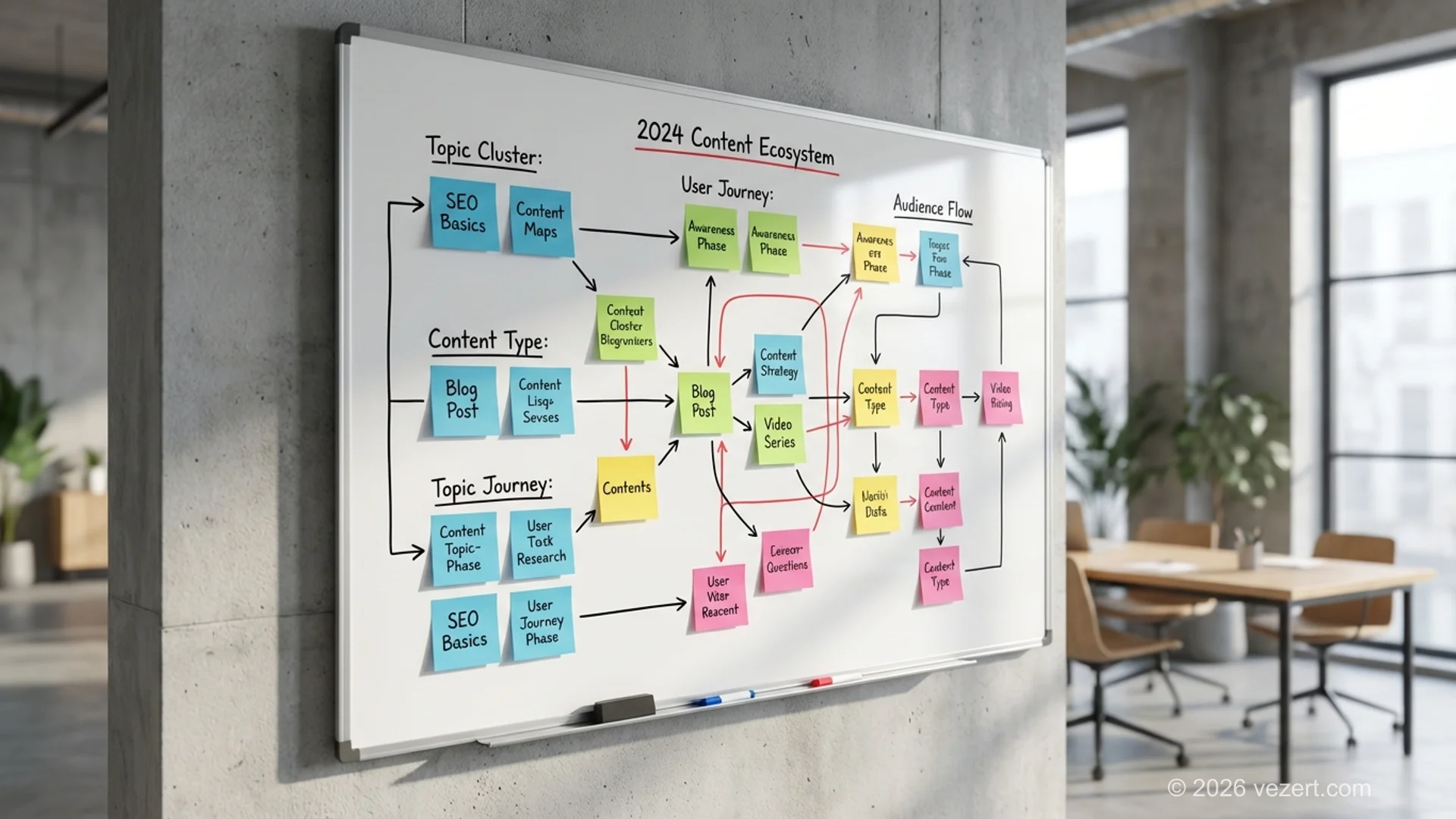
Content-first does not mean writing every word before anyone opens a design tool. It means content and design develop side by side, with the content setting the direction rather than filling whatever boxes the layout happens to leave. The order matters because a layout built around real sentences survives contact with reality, and a layout built around placeholder text rarely does. Here is how that looks in practice:
- Audience research and messaging strategy. Before anyone touches a wireframe, you define who you're speaking to, what problems they have, and what makes your angle different. This produces a messaging framework that guides everything else.
- Content outlines and draft copy. Writers produce structured outlines: headlines, subheads, key messages, and CTA copy for each page. Not polished prose, but enough real language to design around.
- Wireframes built on real content. Designers use actual headlines, approximate body copy, and real CTAs instead of placeholder text. Layouts respond to the content's natural hierarchy.
- Iterative refinement. Copy and design evolve together. If a section needs more breathing room, the designer adjusts. If a visual element changes the flow, the writer tweaks the copy.
This approach eliminates the most expensive problem in web projects: late-stage content surprises. When copy arrives after design is locked, you get awkward compromises. Truncated headlines. Cramped paragraphs. CTAs buried below the fold. A content-first workflow avoids all of that.
At Vezert's UX/UI design practice, this is how we work by default. Content and design are parallel tracks, not sequential handoffs.

What Types of Website Content Drive Real Results
Not all website content is equal. Different formats serve different purposes, and knowing which format belongs on which page matters more than most teams expect. A pricing page and a blog post fail for opposite reasons: one from too much explanation, the other from too little. The list below maps the formats we use most and the job each one does.
Headlines and Value Propositions
Your homepage headline is the single most-read piece of copy on your entire site. If it's vague, generic, or stuffed with jargon, you've lost the visitor before they scroll. A strong value proposition answers three questions fast: Who is this for? What do you do? Why should I care? Pair it with a clear call-to-action and you've given visitors a reason to stay.
Long-Form Educational Content
Blog posts, guides, and resource pages do the heavy lifting for SEO and trust-building. Long-form content generates 3x more traffic than short-form content and keeps visitors on your site longer. But length alone isn't the point. Depth, structure, and genuine usefulness are what matter.
Video Content
Websites with video content see an average conversion rate of 4.8% compared to 2.9% for sites without it. Video increases time on page by up to 88%. It's particularly effective for product demos, client testimonials, and process explanations. It's the format to use when showing works better than telling.
Social Proof and Case Studies
Testimonials, client logos, and case studies aren't just trust signals. They're content that does selling work. A well-written case study with specific metrics ("We increased their lead volume by 340% in six months") is worth more than any amount of self-promotional copy.
How Website Content Affects Your Search Rankings
Here's something a lot of design-focused agencies miss: Google doesn't rank designs. It ranks content. Beautiful visual design helps with user experience and brand perception, but search engines evaluate your pages based on text, structure, and relevance. As Google's own Search Central documentation emphasizes, helpful, people-first content is the foundation of search visibility.
Why Content in Web Design Matters for Search Visibility
A content-first approach naturally produces better SEO outcomes because:
- Heading structure is intentional. When content in web design leads, H1s, H2s, and H3s reflect genuine topic hierarchy. Not arbitrary design labels.
- Keywords appear naturally. Copy written for real users with real questions naturally targets the phrases people search for.
- Internal linking is strategic. Content authors can weave links to related pages where they make contextual sense, rather than designers dropping them into footers and hoping for the best.
- Page depth matches search intent. A content-first process considers what the searcher actually wants, then builds enough content to satisfy that intent fully.
Websites with quality video content are 53 times more likely to rank on Google's first page. Add structured, keyword-aware written content and you've built a page that both users and search engines want to spend time with. For a deeper look at how UX/UI design and content work together, explore how we approach this at Vezert.
Need a Website Where Content and Design Work Together?
Our content-first process produces websites that rank, convert, and actually communicate your value. No lorem ipsum. No last-minute content scrambles.
Start Your ProjectHow to Write Website Content That Converts
Design gets people to the page. Content gets them to act. Every conversion, whether it's a form submission, a phone call, or a purchase, is preceded by a content experience that built enough trust and clarity to trigger the decision.
The Anatomy of a Converting Page
High-converting pages share a content structure that works across industries:
- A headline that speaks to the visitor's problem. Not your product name. Their pain point.
- Supporting copy that establishes credibility. Use stats. Mention your experience. Get specific.
- Social proof positioned before the ask. Testimonials and results, placed where doubt naturally arises.
- A CTA that tells them exactly what happens next. "Get Your Free Proposal" beats "Submit" every single time.
Personalized content takes this further. Websites that tailor content to visitor segments see session durations increase by 35% and conversion rates climb up to 20%. You can't fix that with a design tweak. You need a content strategy backed by data.
If you're building a landing page designed for conversions, the copy isn't supplementary. It's the engine. Explore our portfolio of conversion-focused projects to see how content in web design translates into measurable business outcomes.
Video Content: The Conversion Multiplier
Websites using video see conversion rates jump from 2.9% to 4.8%, a 66% increase. Video also boosts average time on page by 88% and makes pages 53x more likely to reach Google's first page. If your web design doesn't account for video content placement, you're leaving measurable results on the table.
7 Website Content Mistakes That Kill Results
We have audited hundreds of websites over the years, and the same website content problems keep surfacing regardless of industry or budget. Each one undermines otherwise solid design work, and each one is cheap to fix while a site is still in planning and expensive to fix after launch. Here are the seven we flag most often.
Common Content in Web Design Pitfalls
- Writing for yourself instead of your audience. Industry jargon, internal acronyms, and feature lists that don't translate to customer benefits. Your visitors don't care about your process. They care about their outcomes.
- Treating all pages the same. Your homepage, service pages, and blog posts serve different purposes and attract different audiences. Cookie-cutter content structure ignores user intent.
- Walls of text with no visual breaks. Even brilliant copy fails when it's presented as unbroken paragraphs. Subheadings, bullet points, pull quotes, and images give readers entry points and breathing room.
- Weak or missing calls-to-action. Every page should have a clear next step. If visitors reach the bottom and don't know what to do, the content failed them.
- Ignoring mobile content experience. Content that reads well on desktop can become a scrolling nightmare on mobile. With mobile traffic dominating, your content needs to work on a 375-pixel-wide screen first.
- Stuffing keywords at the expense of readability. Google's algorithms are sophisticated enough to understand context. Write for humans. Optimize for search engines with structure and intent, not keyword density.
- No content update plan. A website isn't a one-time project. Outdated blog posts, old team bios, and stale case studies signal neglect. Build a maintenance schedule from day one.
When to Write Website Content in a Project
According to Smashing Magazine, the ideal time to start developing content for a website project is during the discovery and strategy phase, before any visual design begins. Projects that delay content creation until after design approval typically see 30-40% more revision cycles. Start your content planning in week one, not month three.

What a Website Content Audit Checks
A website content audit is an inventory of every page you already have, scored against what each page is supposed to do. Run one before a redesign and you stop paying to rebuild pages nobody reads. Run one after launch and you find the pages that quietly lose people. Either way the output is a spreadsheet, not an opinion.
Five columns do most of the work:
- Purpose. One sentence on what this page is for. Pages that need two sentences are usually two pages.
- Traffic and entries. Sessions and landing-page entries over twelve months, straight from analytics.
- Position. The query the page actually ranks for, which is often not the query it was written for.
- Last meaningful update. Not a date change. The last time a fact, price or screenshot moved.
- Action. Keep, merge, rewrite or retire. Force one of the four. A page with no action is a page nobody owns.
The pattern that shows up on almost every audit: a long tail of pages with real traffic and no owner, and a short head of pages with owners and no traffic. Merging the first group into fewer, stronger pages usually does more for rankings than any amount of new writing, because it concentrates internal links and stops near-duplicate pages competing with each other.
One rule keeps audits honest: decide the action before you look at how much the page cost to produce. Sunk effort is the single most common reason a dead page survives an audit.
Who Writes Website Content and What It Costs
Three people can write the words on your site, and the choice decides both the bill and the calendar.
You write it. Cheapest in money, most expensive in elapsed time. In our projects, client-written copy is the single most common reason a launch date slips, usually by three to six weeks, because writing lands on someone who already has a full job. It works when one person owns it, has a deadline, and knows the business well enough to answer questions without a research round.
A freelance copywriter. Market rate in Western Europe runs roughly €0.10 to €0.25 per word, or €150 to €400 for a standard page. Good when you need a strong voice and can brief properly. The risk is coordination: a writer working apart from the design team produces text that does not fit the layout, and someone pays to reconcile the two.
The agency that builds the site. Copy is written against the wireframe, so the headline length matches the space it lives in and every call to action is drafted with the button it sits on. We price copywriting as an add-on from €20 per page on top of the build, because the research is already done during discovery.
| Route | Typical cost | Time to first draft | Fits the layout |
|---|---|---|---|
| In-house | Staff time | 3 to 8 weeks | Rarely |
| Freelance writer | €150 to €400 per page | 1 to 2 weeks | Sometimes |
| Build agency | From €20 per page | With the design | By construction |
Whatever the route, you supply the same four things: the offer in plain sentences, proof you are allowed to publish, the two or three questions customers keep asking, and one person who can approve a draft. Projects stall on the fourth item more than the first three combined.
How to Plan Website Content for Your Next Site
Whether you're planning a new site or rethinking an existing one, here's a practical framework for putting content in web design at the center of the process. A solid web design content strategy follows this timeline: weeks 1-2 for audience research and messaging, weeks 3-4 for content outlines and draft copy, weeks 5-8 for design and development alongside content refinement, and weeks 9-10 for testing and launch. Skipping or compressing these phases is where most projects go wrong, no matter how many web content best practices your team already knows.
Step 1: Audit What You Have
Before writing anything new, inventory your existing content. What performs well? What's outdated? What gaps are you leaving open? Tools like Google Analytics and Search Console give you hard data on which pages attract traffic, hold attention, and convert.
Step 2: Map Content to User Journeys
Different visitors arrive at different stages of awareness. Some are researching a problem. Some are comparing solutions. Some are ready to buy. Your content strategy needs pages that serve each stage. Educational blog posts for the researchers. Comparison content for the evaluators. Clear product or service pages for the decision-makers. Your content plan and your website structure should evolve in parallel. The hierarchy you build determines how well each piece of content can be discovered.
Step 3: Create a Messaging Framework
Document your brand voice, key messages for each audience segment, and the specific value propositions for each service or product. This becomes the reference document that ensures consistency across every page, every CTA, and every blog post.
Step 4: Write Before You Design (or at Least Alongside)
Get draft content into designers' hands early. It doesn't need to be perfect. Working headlines, approximate body copy, and real CTAs are enough to design around. The key is eliminating placeholder content from the design process entirely.
Step 5: Test, Measure, Iterate
Launch is the beginning, not the end. Use heatmaps, A/B tests, and conversion data to identify where content is working and where it's falling short. Continuous optimization is what separates good websites from great ones.
If this feels like a lot to manage alongside a design build, it is. That's why working with an agency that integrates content strategy into the design process, rather than treating it as someone else's problem, makes a real difference. Talk to our team about building a website where content and design work as one. Check our pricing page for transparent project costs.
Get Website Content Right From Day One
Stop guessing what goes where. Our content-first design process ensures your website actually communicates your value, converts visitors, and ranks in search. All starting with the words that matter most.
Get a Free ConsultationYour Website Is Only as Strong as Its Content
You can have the most beautiful website in the world. But if the words on the page do not communicate clearly, build trust and get people to act, the design is wasted effort. Website content is not the layer you add once the visuals are approved. It is the reason anyone stays on the page long enough to see the visuals at all.
The best websites we've built at Vezert share one trait: content was part of the conversation from day one. Not an afterthought. Not a placeholder to fill in later. Real messaging based on actual audience research, with every layout decision serving the message. Whether you're investing in a corporate website or a targeted landing page, the content in web design determines whether your site converts visitors into customers.
That's the difference between a website that looks good and one that actually works. And when 38% of visitors will leave if the content or layout doesn't connect, "actually works" isn't optional. It's the entire point. Put content in web design first, from the very first planning session, and every other decision will follow.
On This Page
- Why Website Content Has to Come Before Design
- How Website Content Shapes User Experience
- What a Content-First Process Actually Looks Like
- What Types of Website Content Drive Real Results
- How Website Content Affects Your Search Rankings
- How to Write Website Content That Converts
- 7 Website Content Mistakes That Kill Results
- What a Website Content Audit Checks
- Who Writes Website Content and What It Costs
- How to Plan Website Content for Your Next Site
- Your Website Is Only as Strong as Its Content