On This Page
- Why 404 Error Page Design Matters More Than You Think
- What Makes a Great 404 Error Page Design
- 404 Error Page Design Examples from Brands That Get It Right
- How to Use Humor and Personality in 404 Error Page Design
- How E-Commerce Sites Should Design 404 Pages for Sales Recovery
- How 404 Pages Affect SEO and Site Performance
- Conversion Recovery: CTAs That Actually Work on 404 Pages
- How to Make 404 Page Design Accessible and Fast
- Your 404 Error Page Design Checklist
- Stop Treating Your 404 Error Page Design As an Afterthought
A 404 page is what your website returns when a visitor requests a URL that doesn't exist, and one of the most overlooked conversion opportunities on any site. Here's the stat that should bother you: 74% of users who hit a 404 error page design that offers no recovery path will leave and never come back. That's three out of four potential customers gone, not because your product was wrong, but because they landed on a broken link and saw a generic "Page Not Found" message that gave them zero reason to stick around.
Most businesses spend weeks perfecting the homepage, obsessing over hero sections and CTA button colors, then completely ignore the page that visitors see when something goes wrong. And things go wrong more often than you'd think: outdated bookmarks, mistyped URLs, deleted content, restructured sitemaps.
After five years of building websites, the pattern is consistent: a designed 404 page recovers visitors that a default server error page loses.
Why 404 Error Page Design Matters More Than You Think
A 404 page (also called error page or page not found) is the response a website returns when a user requests a URL that doesn't exist on the server. It carries the HTTP 404 status code and is one of the most common error pages users encounter, typically arriving via mistyped URLs, outdated bookmarks, broken email links, or restructured site architectures.
Let's get the numbers out of the way first. Nearly 46% of visitors who encounter a 404 page arrive there through direct links: emails, bookmarks, shared URLs, or simple typos. These aren't random visitors. They're people who were actively trying to reach your content. They had intent, and your 404 page is the only thing standing between that intent and a bounce.
A well-designed custom 404 page can reduce bounce rates by roughly 12%, according to data from Cludo's research on error page optimization. That might not sound massive until you do the math on your monthly traffic. If 2,000 visitors hit your 404 page each month and you recover 12% of them, that's 240 additional engaged sessions, sessions that could lead to conversions, signups, or sales.
But the impact goes beyond raw numbers. A generic 404 page basically says: "We don't care about your experience here." A custom one says the opposite. It tells visitors you've thought about the details and that even when something breaks, you've got their back. If you want a structured way to find every UX gap on your site, not just the 404, a UX/UI design audit maps the entire visitor journey instead of fixing pages one at a time.
The timing matters too. You should invest in your 404 error page design before a site redesign or migration, not after. The worst time to have a generic error page is during a URL restructuring when dozens (or hundreds) of old links suddenly break. The same logic applies during campaigns. A wave of new visitors from an ad or PR push hitting dead links with no recovery path means wasted ad spend and missed opportunities. Build your custom 404 page early, monitor it monthly, and update it whenever your site's structure changes.
There's also the SEO angle, which we'll cover in detail later. Google has stated that 404 errors themselves don't directly hurt rankings, but the user behavior they trigger, high bounce rates, short session durations, pogo-sticking back to search results, absolutely does. Your 404 error page design is a behavioral signal, and Google is watching.
404 Page Design, The Numbers That Matter
74% of visitors leave when they hit a 404 page with no recovery path (BigCommerce e-commerce UX research, 2024). 46% of 404 traffic comes from direct sources, emails, bookmarks, shared links (Hotjar / Cludo benchmark). 12% average bounce-rate reduction with a custom 404 page (Cludo, 2023).
What Makes a Great 404 Error Page Design
Every effective 404 error page design shares a handful of core elements. Skip any of these and you're leaving recovery potential on the table.
What Should a 404 Page Look Like?
A good 404 page is a recovery tool, not an art gallery. The visual side should match your brand, but the functional layout matters more: a clear message at the top, a prominent navigation path back to the rest of the site (homepage button + main menu), an optional search bar, and one or two suggested destinations (popular content or top products). Anything beyond that is decoration, useful only if it doesn't get in the way of those four core elements.
A Clear, Human Explanation
The visitor needs to understand what happened immediately. Skip the technical jargon. "Error 404: The requested resource could not be located on this server" means nothing to most people. Instead, try something like "This page doesn't exist anymore" or "Looks like this link is broken." Direct, plain language. You've got maybe two seconds before someone decides to hit the back button, so clarity beats cleverness every time.
Prominent Navigation Back to Safety
The single most important element on any 404 page is a clear path forward. At minimum, you need a prominent link back to the homepage. But the strongest 404 pages go further. They include your site's main navigation, a handful of popular page links, or category shortcuts. Think of it as a rescue operation. Your visitor is lost; your job is to hand them a map.
A Search Bar
This is non-negotiable for content-heavy sites. If someone was looking for a specific article, product, or resource and the URL broke, a search bar lets them find it themselves. According to AddSearch's analysis of 404 page best practices, sites that include search functionality on their 404 pages see better recovery rates because users can find the content on their own.
Brand Consistency
Your 404 error page design should look and feel like the rest of your site. Same header, same footer, same color palette, same typography. When users land on a page that looks completely different from what they've been browsing, it throws them off and makes the error feel worse. Keeping your brand consistent reassures visitors they're still in the right place, just the wrong page. A coherent UX/UI design service treats the 404 as part of the system, not an afterthought.
A Touch of Personality
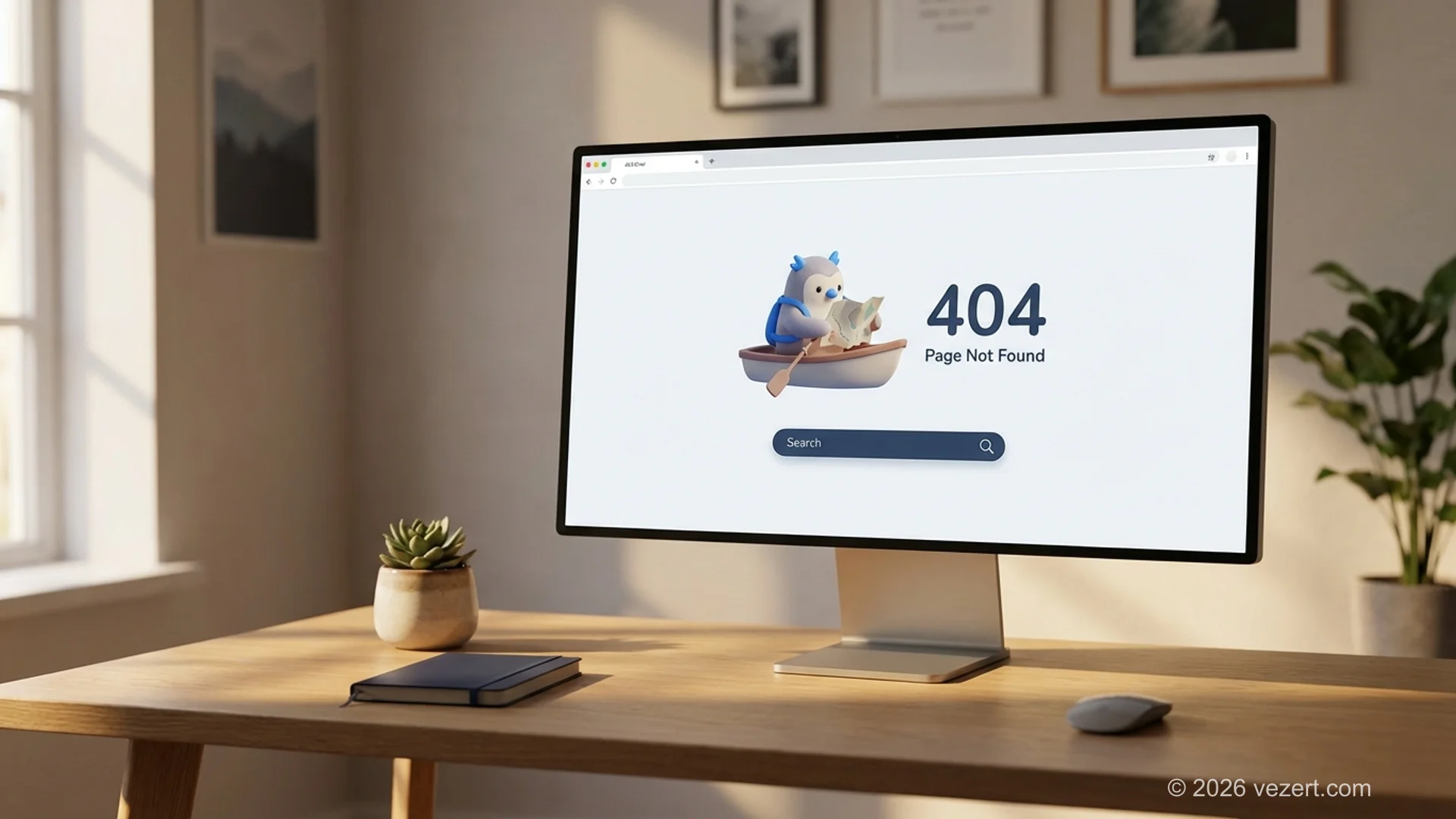
A personal touch in 404 error page design is optional but highly recommended. A custom illustration, a witty line of copy, or a brand-appropriate joke can turn a frustrating moment into a memorable one. The key is that it shouldn't get in the way of functionality. Personality is the seasoning, not the meal.
"Users don't experience your sitemap. They experience moments of friction. A 404 page is a friction moment, and how you handle it determines whether they return or churn.", paraphrased from Jakob Nielsen's NN/g 'Error Recovery' usability heuristic

404 Error Page Design Examples from Brands That Get It Right
Talking about principles is useful, but seeing them in action is better. Here are brands whose 404 error page design turned broken links into genuine UX highlights.
Pixar, Emotional Storytelling
Pixar uses characters from their films on the 404 page, recently featuring Anxiety from Inside Out telling visitors not to worry. It's perfectly on-brand and immediately disarming. The emotional hook makes visitors smile instead of reaching for the back button, while the page still includes clear navigation options.
Amazon, Dogs of Amazon
Amazon's 404 page features photos of employees' dogs. It's simple and unexpected, and it creates an emotional connection that has nothing to do with shopping, which is exactly why it works. By the time you've finished looking at a golden retriever named Rufus, you've forgotten you were annoyed, and the homepage link is right there waiting.
GitHub, Interactive Parallax
GitHub's 404 page uses an interactive parallax illustration of a space scene that responds to your mouse movements. For a developer-focused audience, this kind of technical playfulness is pitch-perfect. It demonstrates craft and subtly reinforces GitHub's identity as a platform where creative technical work happens.
Starbucks, Brand-Perfect Humor
Starbucks shows an image of a spilled coffee cup with a hidden hover message: "Java nice day!" The coffee pun lands perfectly for their audience, and the visual of spilled coffee communicates "something went wrong" without needing a single line of explanation. It's a great example of using brand assets to explain an error.
Steve Madden, Commerce Recovery
Instead of just showing an error message, Steve Madden's 404 page displays their top-selling products with filtering options. It's a smart pivot: the visitor came to buy something, the specific page was broken, so the 404 page says "You can still shop." This approach directly addresses the user's original intent and turns a dead end into a potential sale.
How to Use Humor and Personality in 404 Error Page Design
Humor in 404 error page design is a double-edged sword. Done well, it defuses frustration and makes your brand memorable. Done poorly, it comes across as dismissive, like your company thinks a broken page is funny rather than something worth fixing. Some brands go further and build a game or an animation into the page, which is the same instinct taken one step past copy.
Here's my rule of thumb after years of UX/UI design work: the humor should acknowledge the problem, not minimize it. "Well, this is embarrassing" works because it shows self-awareness. "Oops!" by itself feels flippant, like you don't take the user's experience seriously.
Tone Guidelines That Work
- Acknowledge the error directly. Don't pretend nothing happened. The user knows something went wrong.
- Keep it short. One line of humor is enough. Two is pushing it. Three and you're trying too hard.
- Match your brand voice. A law firm's 404 page shouldn't read like a meme account. A gaming company's shouldn't read like a legal notice.
- Never blame the user. "You typed the wrong URL" is technically accurate and absolutely the wrong approach. Always frame it as your problem to solve.
- Test with real users. What's funny to your dev team might be confusing to your actual customers. Run it by people outside the company before shipping.
The safest approach? Lead with utility, add personality as a layer on top. Make sure the page works as a recovery tool first, then sprinkle in the charm. If you're unsure whether your tone is right, a UX/UI design review can validate your approach against proven usability principles.
Quick Win for Content-Heavy Sites
If your website has a blog or resource library, add a "Popular Articles' or 'Trending Now" section to your 404 page. This gives visitors an immediate alternative destination and can actually increase page views per session.
How E-Commerce Sites Should Design 404 Pages for Sales Recovery
For e-commerce sites, 404 error page design directly hits your bottom line. It's a revenue problem, not just a UX problem. When a product link breaks (and in e-commerce, product URLs break constantly due to seasonal items, discontinued products, and catalog restructuring), every visitor who bounces is a potential sale lost. A focused e-commerce UX design approach treats the 404 as a recovery surface, not as an afterthought template.
The stakes are real: research shows that 74% of online shoppers will abandon their session entirely after hitting a 404 error. On a site doing $100,000 per month in revenue, even a small percentage of traffic hitting broken product links can translate to thousands in lost sales.
Product-Forward 404 Design
The Steve Madden approach mentioned earlier works well here. Instead of a generic error message, show the visitor products they might actually want:
- Top sellers work well because they appeal to broad audiences and carry social proof.
- If the broken URL contains a category slug (e.g., /shoes/running-sneakers), use that context to show relevant products from that category.
- For returning visitors, personalize the 404 page with items they've already viewed.
- A sale banner or discount code can turn disappointment into motivation to buy.
If the broken URL was a landing page design for a campaign that ended, redirect to the closest active campaign rather than dropping users on a generic 404, same intent, fresh offer.
Search with Autocomplete
For e-commerce, a basic search bar isn't enough. Add autocomplete with product thumbnails so visitors can see matching items as they type. This reduces the friction between "I can't find what I wanted" and "Oh, there it is" to virtually zero.
The principle behind effective 404 error page design is straightforward: match the recovery mechanism to the user's intent. Someone shopping for shoes doesn't want to read your blog or learn about your company. They want shoes. Give them shoes.
Is Your Website Losing Visitors to Poor Error Handling?
A custom 404 page is just one piece of a conversion-optimized website. Let's audit your site's user experience and find every place visitors are dropping off.
Get a Free UX AuditHow 404 Pages Affect SEO and Site Performance
There's a persistent myth in 404 error page design that 404 errors directly tank your Google rankings. Let me set the record straight: Google has explicitly stated that 404 status codes themselves don't hurt your site. Every website has some 404s, and that's completely normal.
What does hurt you is what happens after the 404. If users consistently bounce back to Google's search results after hitting your error pages, that signals to Google that your site isn't providing a good experience. And that behavioral signal absolutely affects rankings.
Quick FAQ, SEO and 404 Pages
- Do 404 pages hurt SEO directly? No, but bad recovery patterns (high bounce, pogo-sticking) do.
- Should I redirect all 404s to the homepage? No, Google treats this as a soft 404 and ignores the signal.
- Should I block 404 pages in robots.txt? No, let Google crawl them so it can update its index correctly.
Soft 404 vs True 404, Why It Matters
A true 404 returns the HTTP 404 status code: the server tells browsers and crawlers that the URL does not exist, and Google removes it from the index. A soft 404 is a page that looks like an error page (it shows "Not Found" text) but returns an HTTP 200 status code. Google explicitly penalizes soft 404s because they waste crawl budget, the search engine spends time fetching pages that pretend to exist. Always verify your custom 404 template returns a real 404 status using your browser's developer tools or httpstatus.io.
Technical Must-Haves for 404 Error Page Design
Here's the technical checklist for a properly implemented 404 page:
- Return a proper 404 HTTP status code. This sounds obvious, but I've seen countless sites where custom 404 pages return a 200 status code (known as a "soft 404"). Google penalizes this because it looks like you're trying to index error pages as real content.
- Don't redirect all 404s to the homepage. Another common mistake. A blanket redirect tells search engines that every broken URL actually leads to your homepage, which creates confusion in indexing and dilutes your link equity.
- Set up monitoring in Google Search Console. The Coverage report shows you exactly which URLs are returning 404 errors. Review this monthly and fix or redirect the ones that have incoming links or significant traffic.
- Use 301 redirects for moved content. If a page was moved rather than deleted, set up a permanent redirect to the new URL. Only show a 404 page when the content genuinely no longer exists.
- Include a canonical tag. Your custom 404 page template should not have a canonical URL pointing to itself, as this can create indexing issues.
Recovering Link Equity from Broken URLs
Broken pages that have backlinks pointing to them represent lost link equity, SEO value that's being wasted. The recovery workflow:
- Open Ahrefs Site Explorer (or Semrush) and filter Backlinks by
404status code. - Sort by referring domain authority and traffic, fix the highest-value broken URLs first.
- For each high-value broken URL, decide: restore the content (first choice), redirect to the closest relevant page (good), or contact the linking site to update the URL (slow but cleanest).
- Cross-check against Google Search Console's Coverage report monthly to catch new 404s as they appear.
Every broken backlink is a missed opportunity to pass authority through your site. A focused accessible UX/UI design audit usually surfaces 5–15% additional broken or orphaned URLs that aren't yet flagged in GSC.
One last thing the reports will tell you. Group your 404s by cause before you redesign the page. Renamed URLs with no redirect are a migration problem. Missing products are a catalogue problem. Typos in your own links are an editing problem. Inbound links to old addresses are nobody's fault and just need redirecting. If most of your 404s sit in the first group, the page design is not what is costing you traffic. The redirect map is.
Check Your 404 Pages Monthly
Set a recurring calendar reminder to review your Google Search Console Coverage report every month. Broken URLs accumulate over time, especially after site redesigns, content restructuring, or CMS migrations. Catching new 404 errors within 30 days means you can set up redirects before they impact your SEO metrics or frustrate repeat visitors who have bookmarked those pages.

Conversion Recovery: CTAs That Actually Work on 404 Pages
A 404 error page design with only a "Go Home" button is a missed opportunity. The visitor is already on your site. They just need a reason to stay. Strategic CTAs can transform error pages into genuine conversion points, and a focused UX audit for conversion usually finds 4–6 of them on the same page.
Primary CTA: Solve the Immediate Problem
Your primary CTA in 404 error page design should directly address why the visitor is on the error page. Options that work well:
- "Search our site" directs attention to the search bar.
- "Browse [most popular category]" gives a confident recommendation.
- "See what's new" works well for content sites and blogs.
- "Return to homepage" is the reliable fallback, styled as a prominent button rather than a text link.
Secondary CTA: Create New Value
Once you've addressed the immediate problem, a secondary CTA can introduce a new opportunity:
- Lead magnet offer: "While you're here, grab our free [resource]"
- Newsletter signup: "Get our sharpest content delivered directly" with an email field
- Contact prompt: "Can't find what you need? Let us help" with a link to your contact page
- Social follow: "Follow us on [platform] for the latest updates"
If the broken URL was tied to a specific campaign, the secondary CTA can route visitors to a related high-converting landing page so they still have a chance to convert on the original intent.
The key is hierarchy. The primary CTA should be visually dominant: big button, contrasting color, above the fold. The secondary CTA should be present but not competing for attention. You want to solve the problem first, then offer additional value.
How to Make 404 Page Design Accessible and Fast
Here's something that almost nobody talks about when discussing 404 error page design: accessibility. Your error page needs to work for everyone, including users with screen readers, keyboard-only navigation, and cognitive disabilities.
Accessibility Essentials
- Descriptive heading structure. Use a clear H1 that communicates the error state (e.g., "Page Not Found"). Screen readers rely on heading hierarchy to understand page structure.
- Alt text for all images. That cute illustration of a lost astronaut? It needs descriptive alt text so screen reader users understand the context.
- Keyboard-navigable links and buttons. Every interactive element on your 404 page must be reachable and operable via keyboard. Tab order should be logical: error message first, then primary navigation options, then secondary CTAs.
- Sufficient color contrast. Error messages often use red text, but red on certain backgrounds can fail WCAG contrast requirements. Test your color combinations with a contrast checker.
- Clear link text. "Click here" tells a screen reader nothing. Use descriptive links like "Return to our homepage" or "Browse our services."
Performance Matters
A 404 page that takes five seconds to load because you embedded a 3D WebGL game is worse than a plain text error message. Visitors who hit a 404 are already frustrated. Making them wait compounds that frustration exponentially.
Keep your 404 error page design lightweight:
- Optimize images aggressively (WebP format, proper sizing)
- Avoid heavy JavaScript frameworks for interactive elements. CSS animations are almost always sufficient.
- Lazy-load any non-critical content
- Target under 1 second load time
A slow-loading error page is almost funny. Almost. If a visitor can't even reach your error page quickly, the experience has failed at two levels instead of one.
Don't Forget Mobile
Over 60% of web traffic comes from mobile devices, and that includes 404 page visits. Test your error page on actual phones, not just browser dev tools. Make sure tap targets are large enough, text is readable without zooming, and the search bar is usable on a small keyboard. A 404 page that works beautifully on desktop but breaks on mobile is only half a solution.
Your 404 Error Page Design Checklist
Whether you're building your 404 error page design from scratch or improving an existing one, run through this checklist before shipping:
Essential elements:
- Clear, plain-language error message (no jargon)
- Prominent link to homepage
- Site search bar (especially for content and e-commerce sites)
- Main navigation visible (header and/or popular links)
- Consistent branding (colors, typography, logo)
- Proper 404 HTTP status code (not a soft 404)
Engagement elements:
- Custom illustration or brand-relevant imagery
- Personality-appropriate humor or messaging
- Popular content suggestions or product recommendations
- Secondary CTA (newsletter, lead magnet, contact)
Technical elements:
- Mobile-responsive layout
- Fast load time (under 1 second target)
- Accessible to screen readers and keyboard users
- WCAG-compliant color contrast
- Google Search Console monitoring set up
- Analytics tracking on the 404 page (track as a virtual pageview)
Advanced elements:
- Dynamic content based on the broken URL's context
- Personalized suggestions based on user browsing history
- Interactive elements (animations, micro-interactions)
- A/B testing different 404 page layouts for recovery rate
You don't need every single item on this list to have a good 404 page. Start with the essentials, measure performance, and iterate. The brands with the strongest 404 pages didn't build them in a single sprint. They refined them over time based on real user data.
Stop Treating Your 404 Error Page Design As an Afterthought
Your 404 error page design says more about your brand than you realize. It's the one page visitors see when something has already gone wrong, when their experience has taken an unexpected turn. How you handle that moment defines whether they give you a second chance or leave for a competitor.
A strong 404 error page design is not just a creative show (though creativity helps). They're functional recovery tools that solve a real user problem: "I'm lost, and I need to find what I came for." Every element, from the error message to the CTA, should serve that goal.
If your current 404 page is the default server template or a blank page with tiny gray text, you're actively pushing visitors away. And with nearly half of all 404 traffic coming from direct links and emails (sources that represent high-intent visitors), the cost of ignoring this page is steeper than most businesses realize.
At Vezert, we ship custom UX/UI design where every page, including the ones users aren't supposed to see, is built with intent. A website that only works when everything goes perfectly isn't a well-designed website. It's an incomplete one.
Ready to stop losing visitors to broken links? Let's talk about your site's UX.
On This Page
- Why 404 Error Page Design Matters More Than You Think
- What Makes a Great 404 Error Page Design
- 404 Error Page Design Examples from Brands That Get It Right
- How to Use Humor and Personality in 404 Error Page Design
- How E-Commerce Sites Should Design 404 Pages for Sales Recovery
- How 404 Pages Affect SEO and Site Performance
- Conversion Recovery: CTAs That Actually Work on 404 Pages
- How to Make 404 Page Design Accessible and Fast
- Your 404 Error Page Design Checklist
- Stop Treating Your 404 Error Page Design As an Afterthought